> For the complete documentation index, see [llms.txt](https://palo-alto.presidiocreative.com/llms.txt). Markdown versions of documentation pages are available by appending `.md` to page URLs; this page is available as [Markdown](https://palo-alto.presidiocreative.com/updates/whats-new-in-palo-alto/about-5.6-release.md).
# About 5.6 Release
Additional information on recent Palo Alto updates
### Sticky image with text section
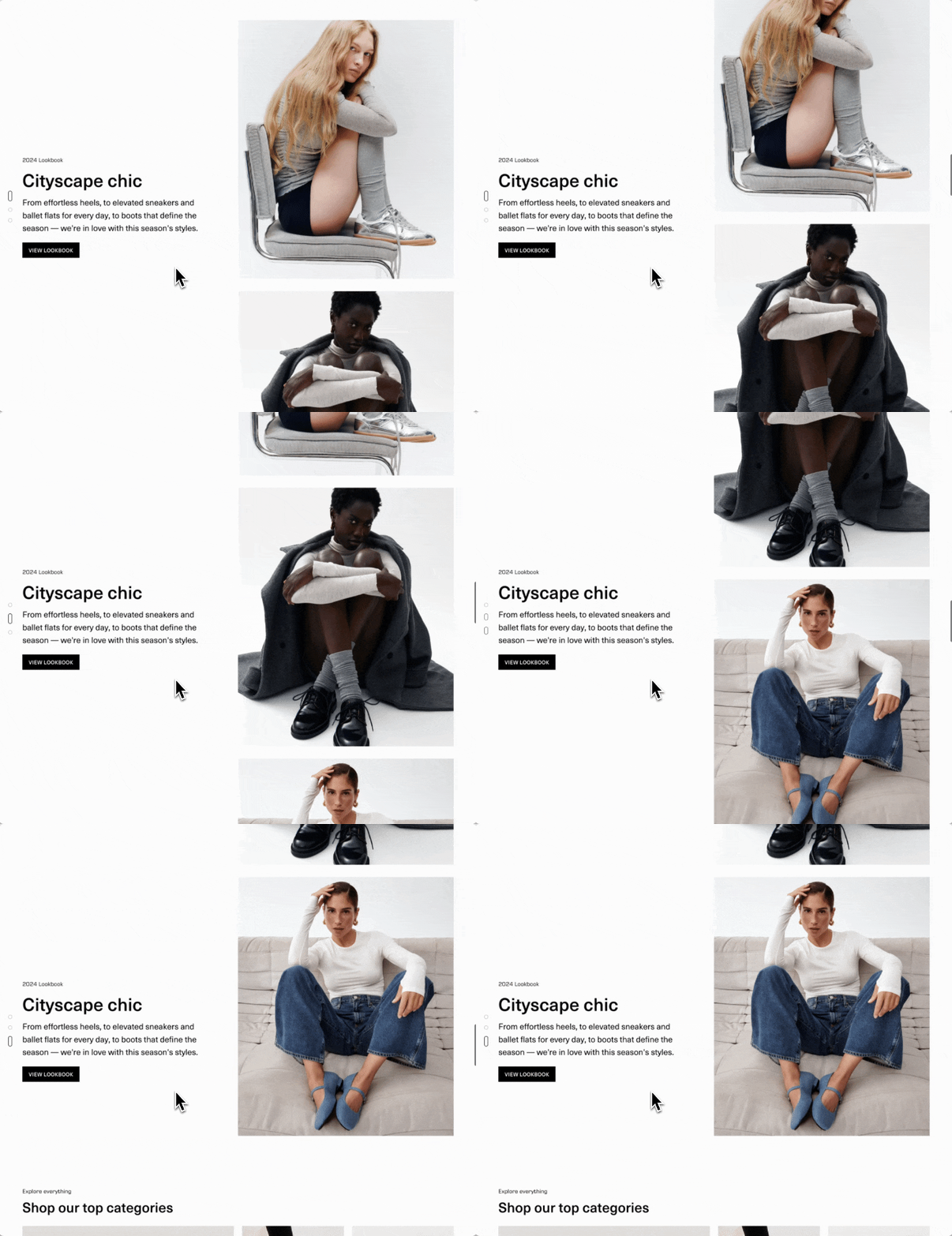
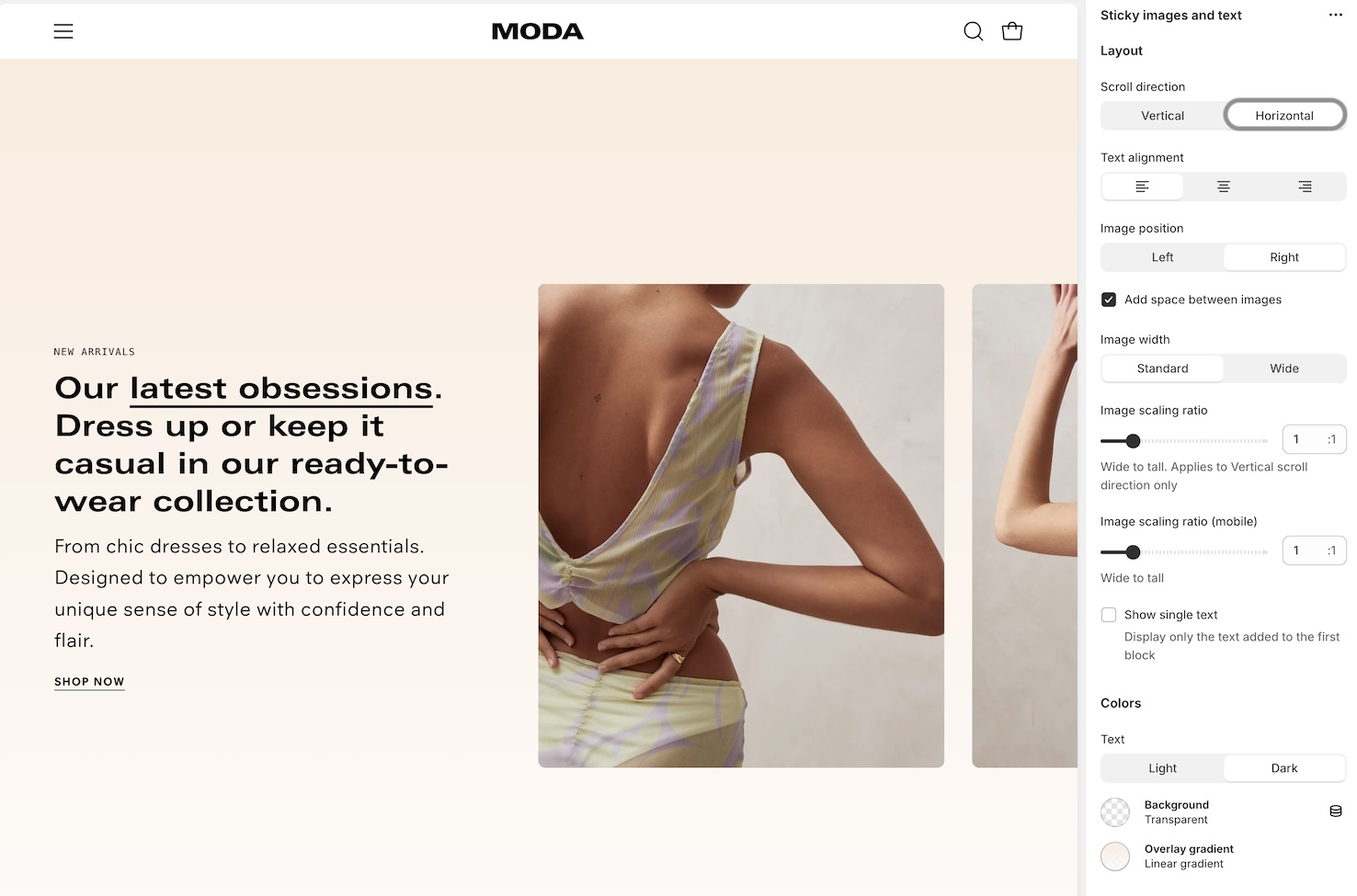
Introducing a new sticky version of Image with text. Now you can keep the text message always visible while scrolling through the image blocks:
Vertical layout
* Palo Alto provides both **horizontal** and **vertical** layout options for this new section:
Horizonal scroll with sticky text
### Products with image section
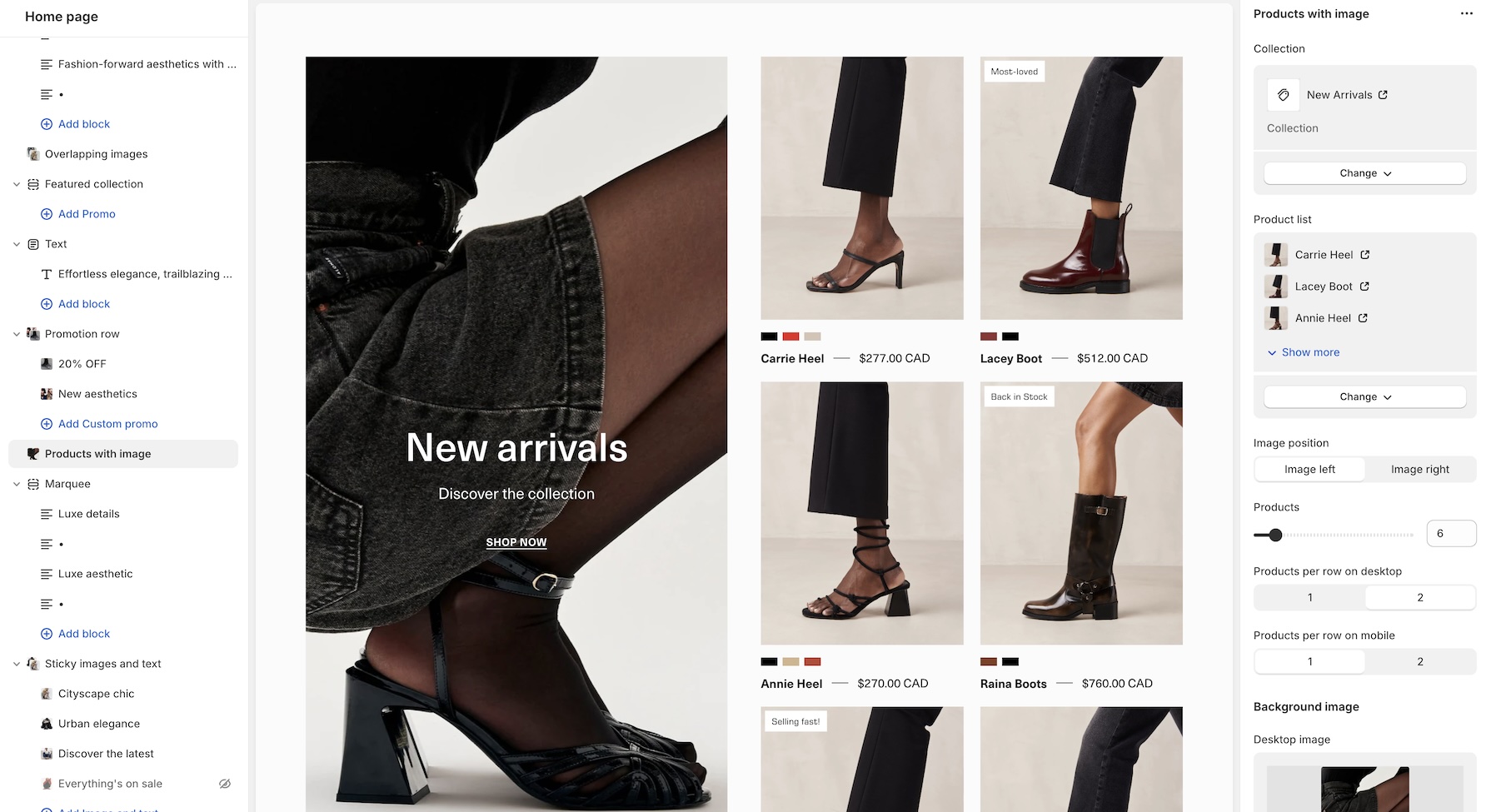
Another exciting new section in this version of Palo Alto is **Products with image**. Build a promotional message with an image and include the product line next to it:
* The image remains sticky while scrolling through the product list.
### Footer full-width block
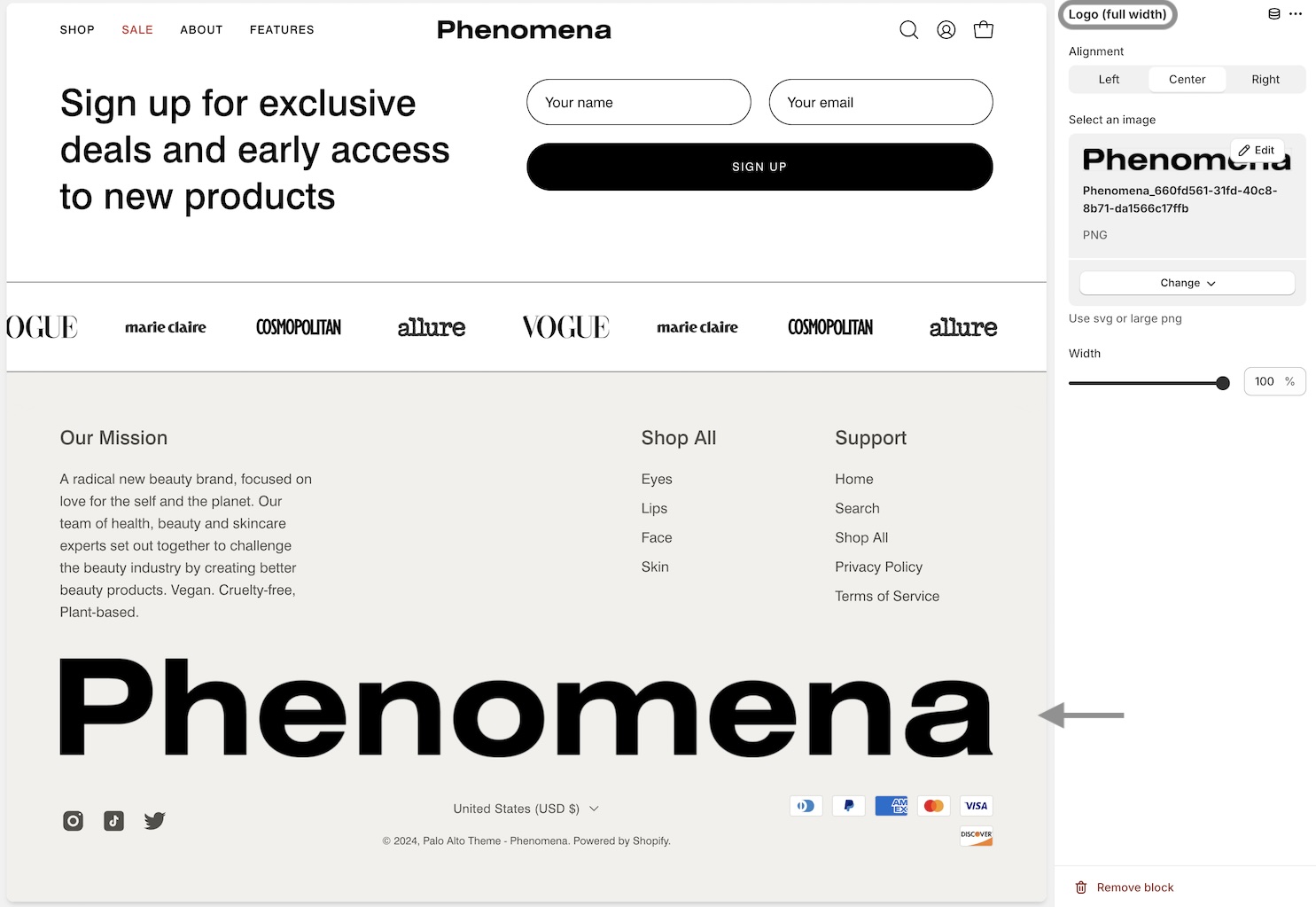
New in Palo Alto is the "**Logo full width**" block for building beautiful, rich footers. Showcase your brand for a modern footer design:
Logo full width block
* This new block is available in the **Footer** and **Footer minimal** sections.
* We've also increased the maximum number of blocks to **six** from four in both sections.
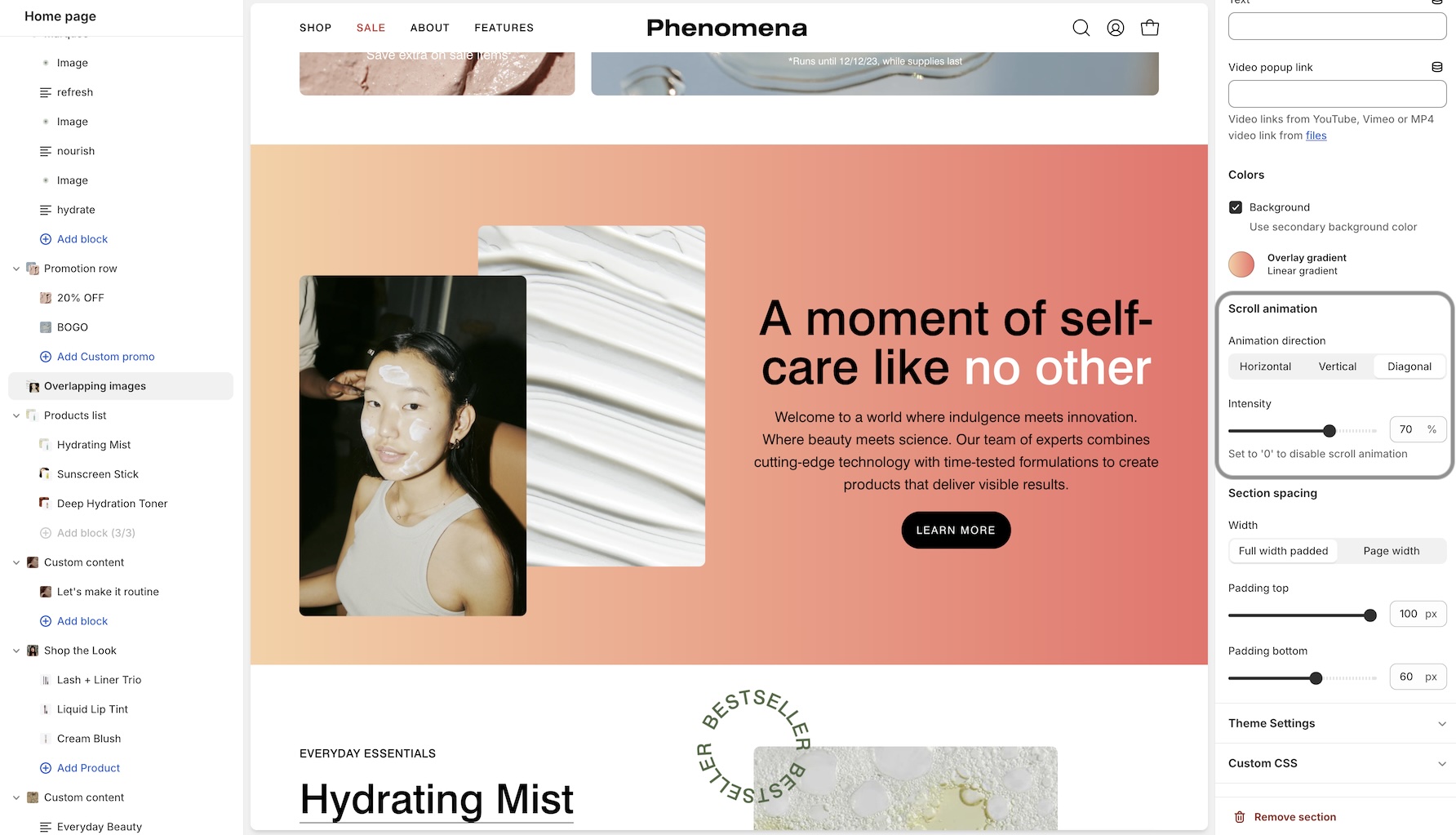
### Overlapping images
We've added new scrolling animation effects to the Overlapping images section:
* Customize the animation direction and intensity to enhance your store's scrolling effect.
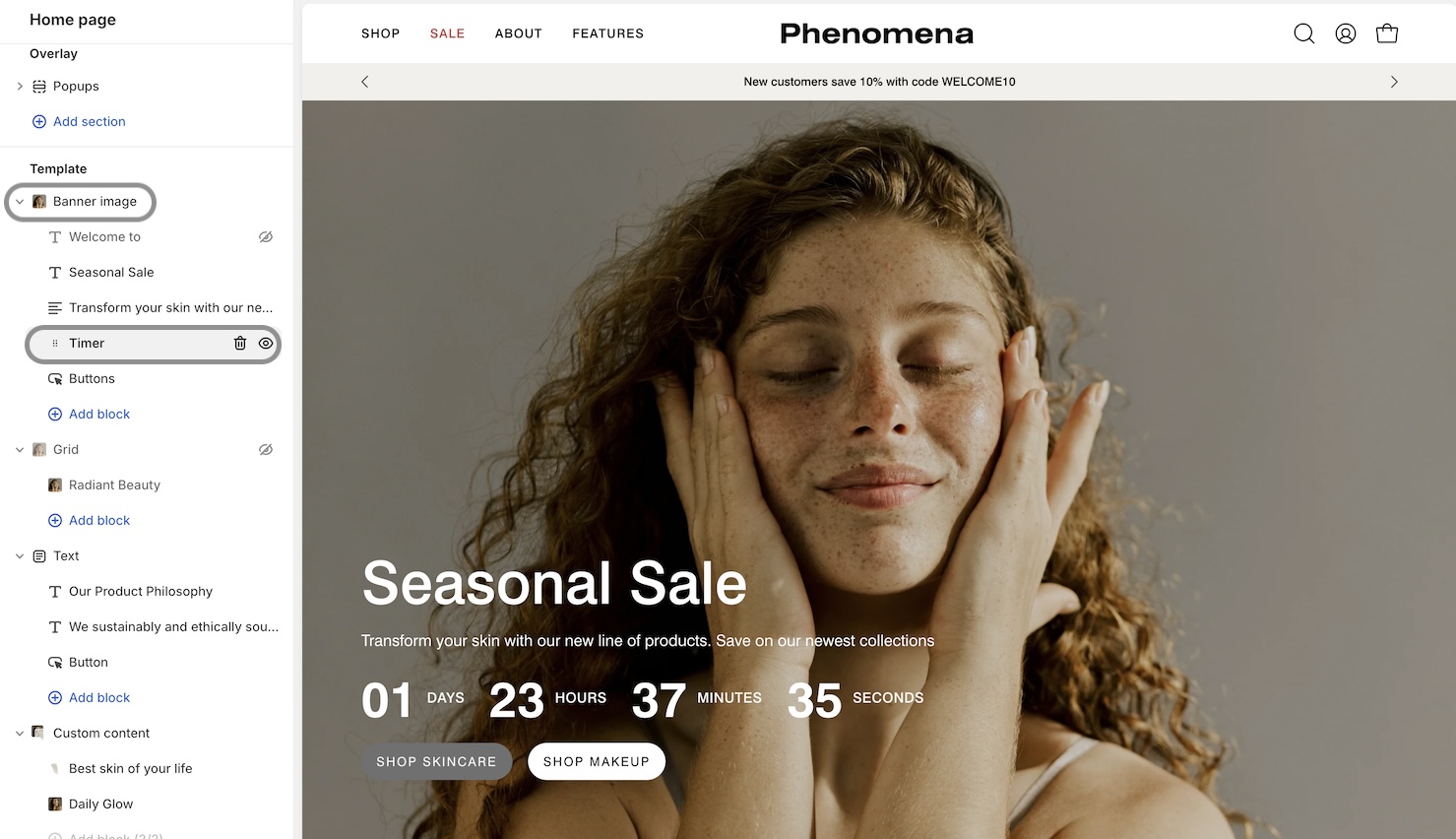
### Countdown Timer block
The "**Banner image**" section now includes a countdown timer block. Now you have even more options to promote flash sales with Palo Alto:
Hero-style banner section with countdown timer
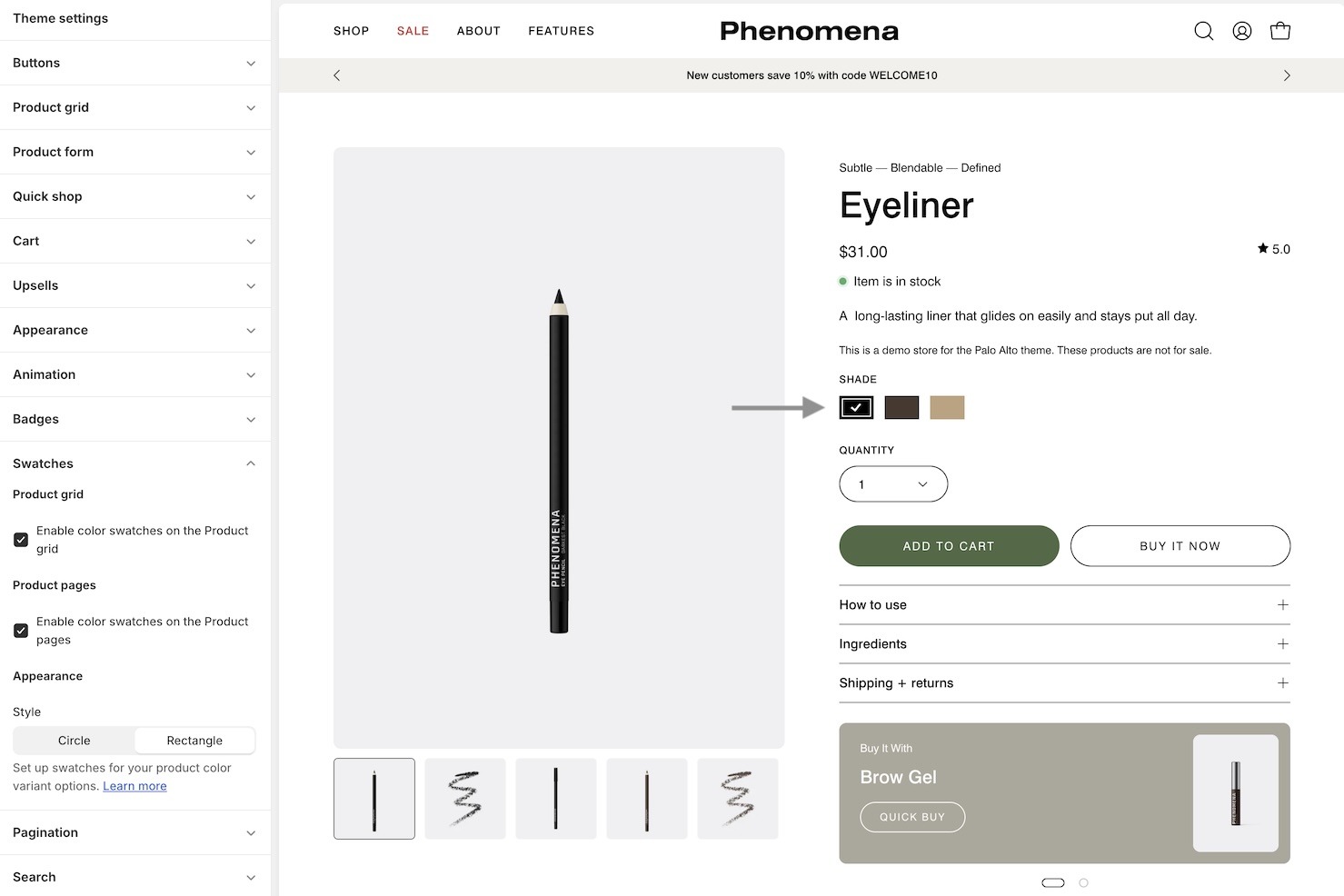
### Swatch improvements
We've added a **checkmark** to the selected variant option to the **rectangular** swatch design. This visual effect helps customers ensure they have chosen the correct variant option:
Better selected variant indicator
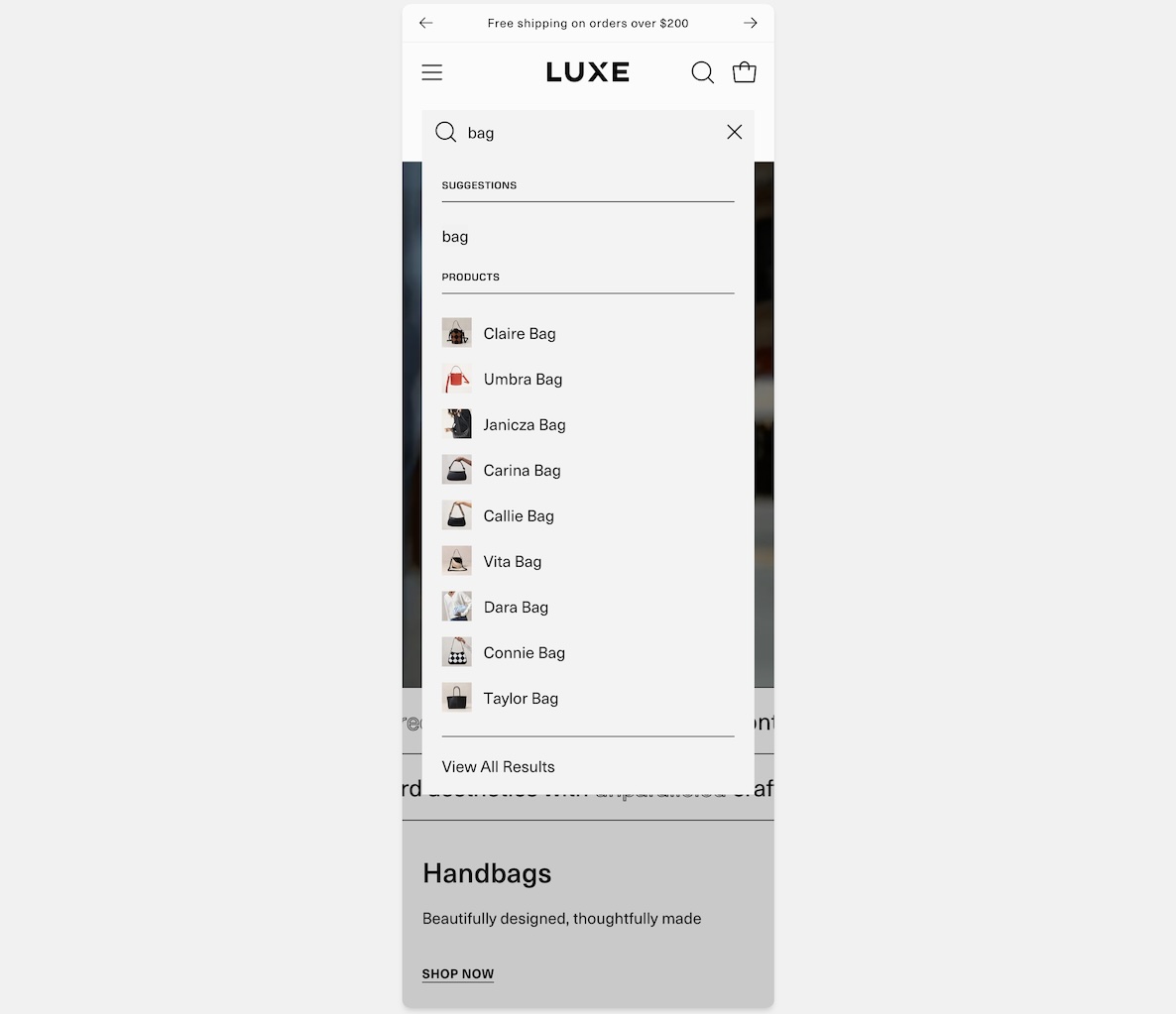
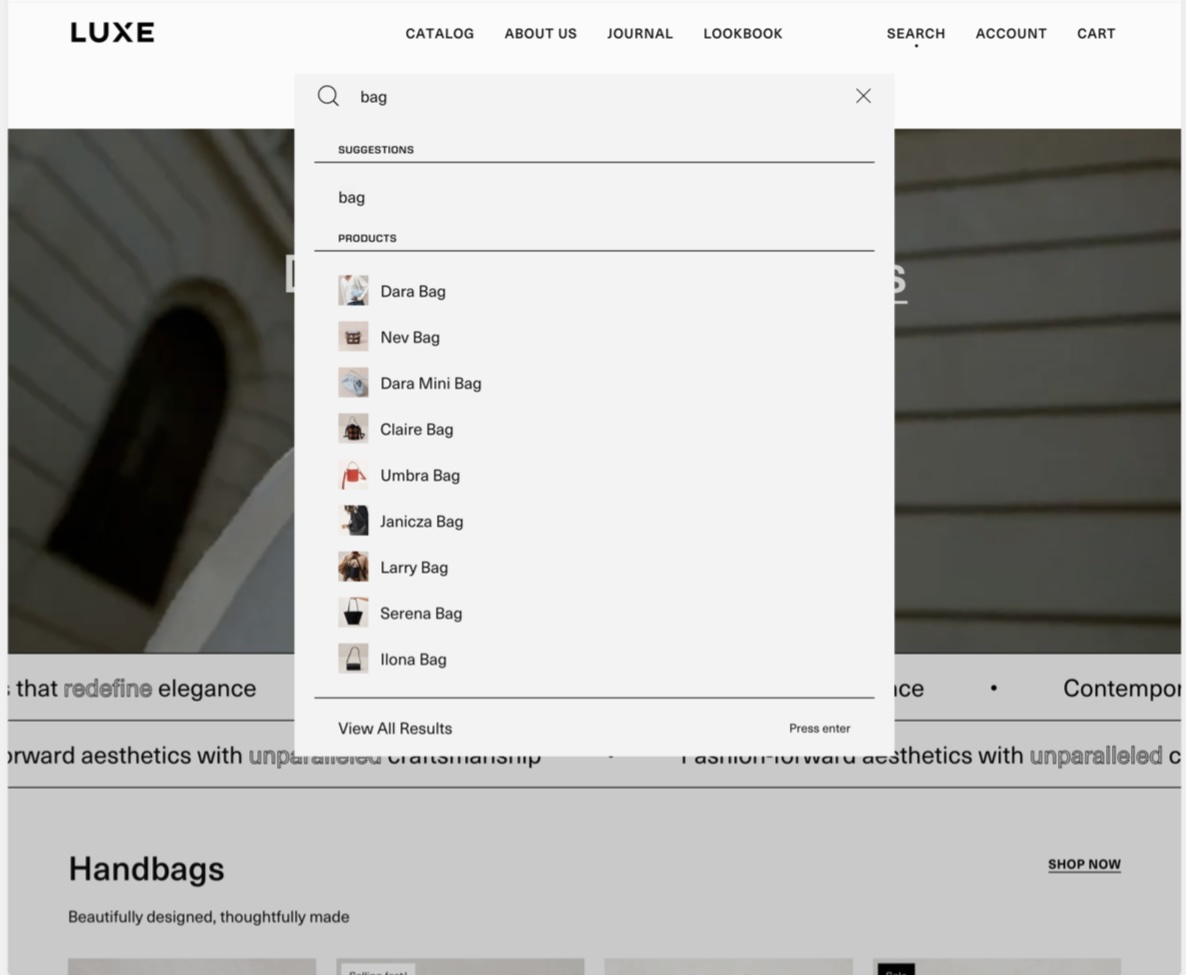
### Predictive search
In this version of Palo Alto, we've refined the search experience with improved colors, borders and the layout for both the **mobile** and **desktop** dropdown designs: