> For the complete documentation index, see [llms.txt](https://palo-alto.presidiocreative.com/llms.txt). Markdown versions of documentation pages are available by appending `.md` to page URLs; this page is available as [Markdown](https://palo-alto.presidiocreative.com/updates/whats-new-in-palo-alto/about-5.3-release.md).
# About 5.3 Release
New features and changes in Palo Alto 5.1 - 5.3
### Introducing Siblings
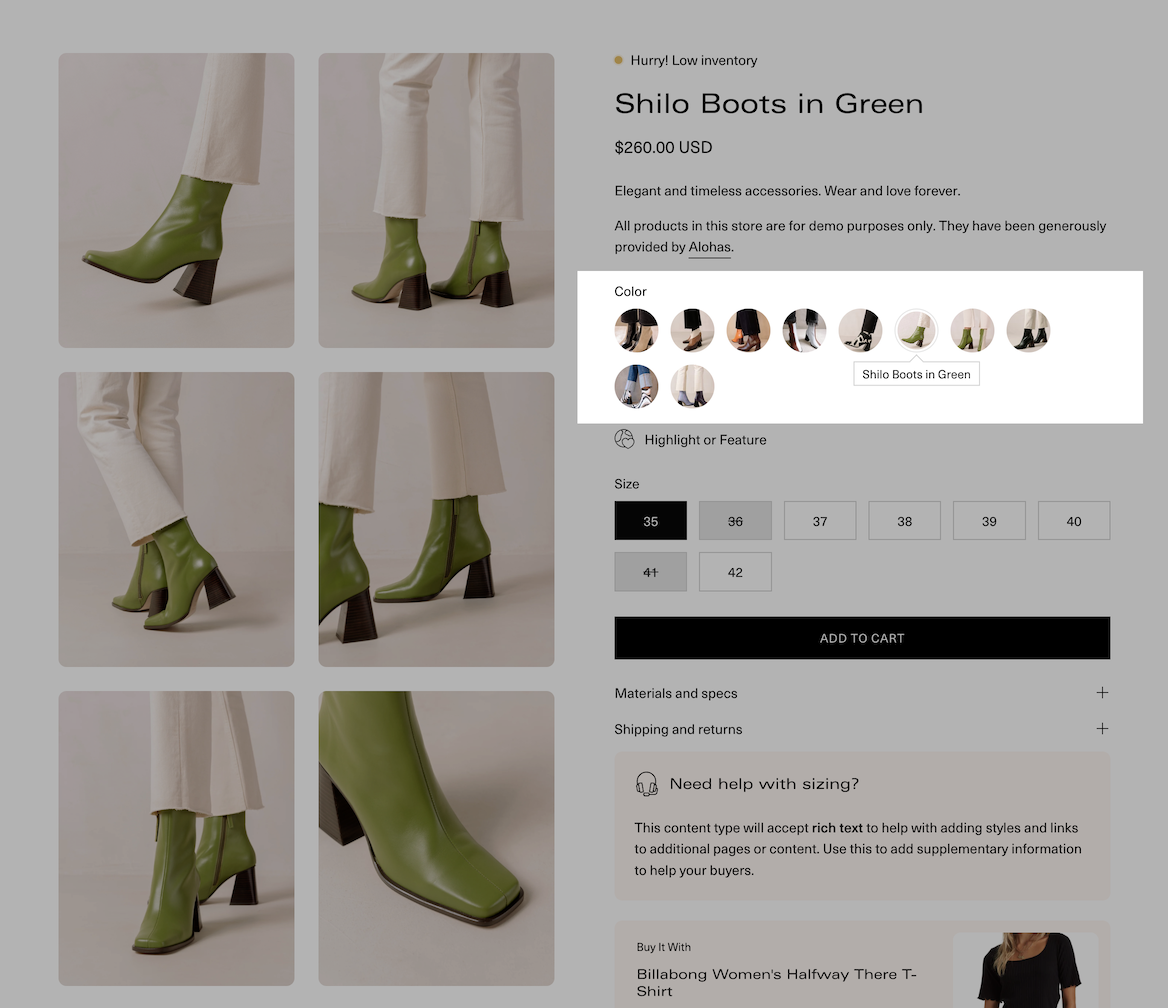
Palo Alto now supports product siblings with metaobjects. With siblings, you can link directly to other products as product swatches. The result is rich product detail pages that only include product images for that style and also include image swatches that are automatically generated by Palo Alto:
With Siblings, only images for this color option are displayed
Discover the new features of Siblings with this short video:
{% embed url="" %}
### Size chart label
Size chart headings can now be customized. Here's a short video on how to customize it:
{% embed url="" %}
### Tab collections
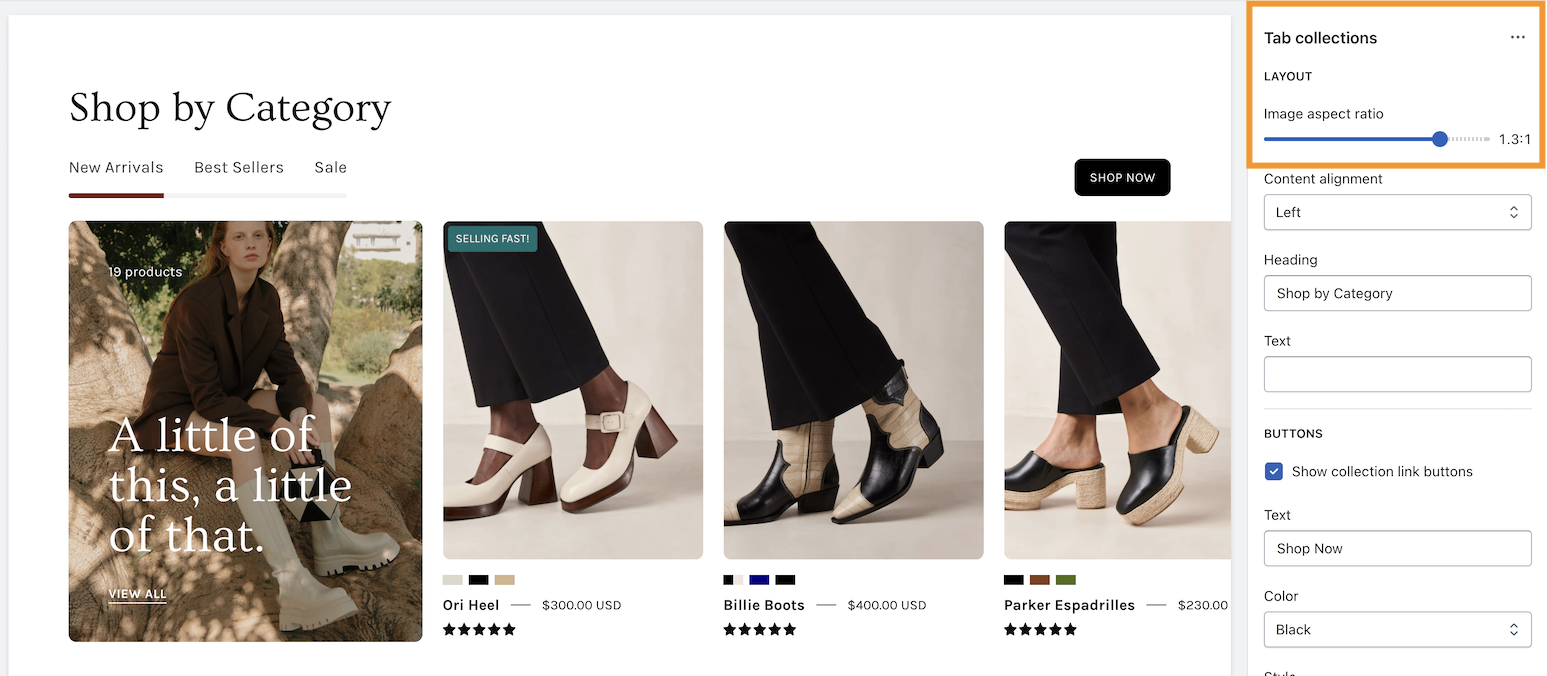
We've added the ability to adjust the image sizes in this section:
{% embed url="" %}
### Accordion block on product pages
The accordion block has been updated to hold individual content and can be placed in different positions on your product pages:
{% embed url="" %}
### Marquee section
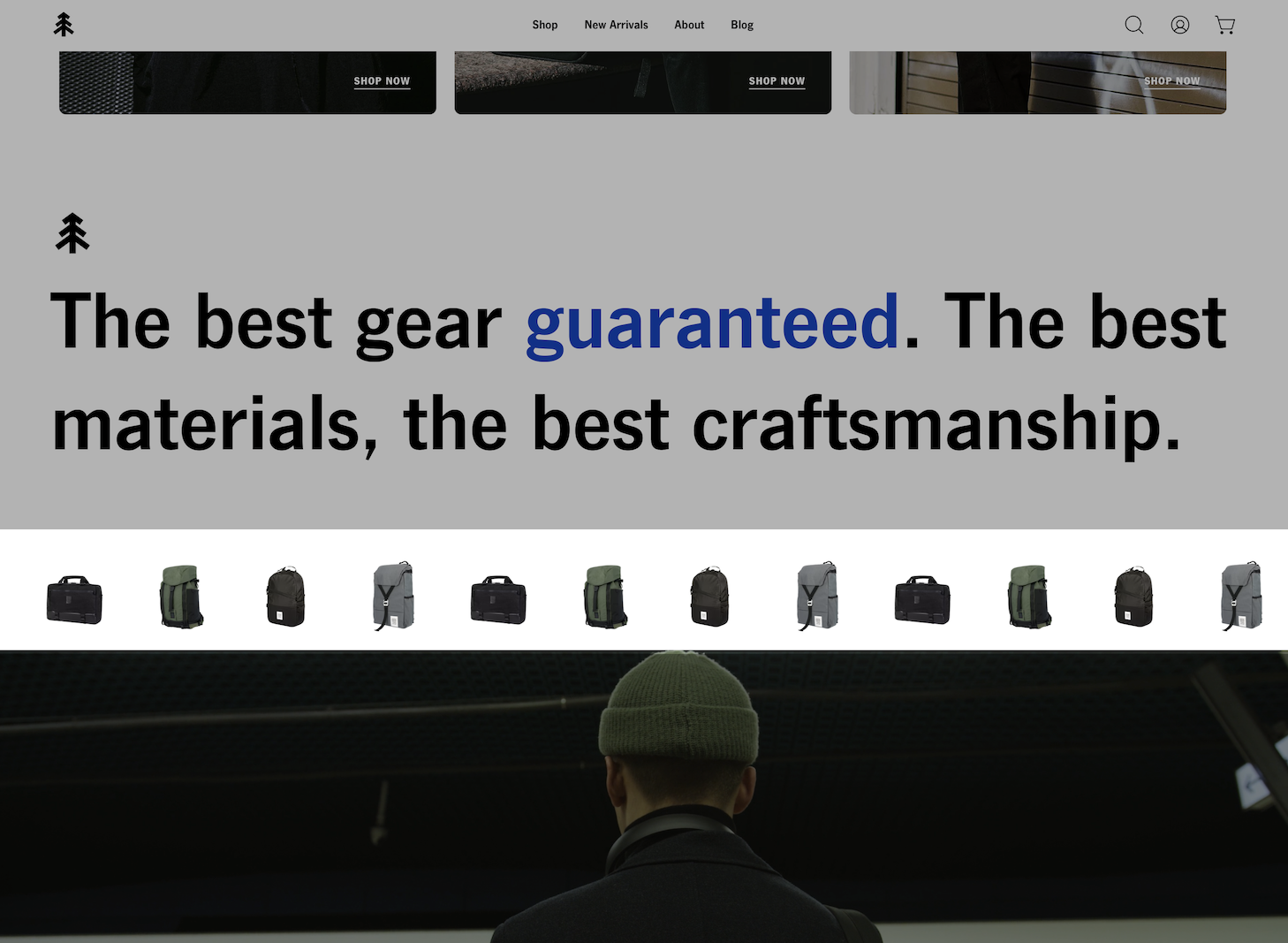
We've improved the options in the scrolling Marquee section and included an image block for creative designs:
Example of image-based scrolling marquee
{% embed url="" %}
### Press section
Auto-slideshow options have been added along with support for rounded corners for your logos:
{% embed url="" %}
These are some of the key changes in this release of Palo Alto. You'll also find various speed, UX improvements, and bug fixes.