# Pagination

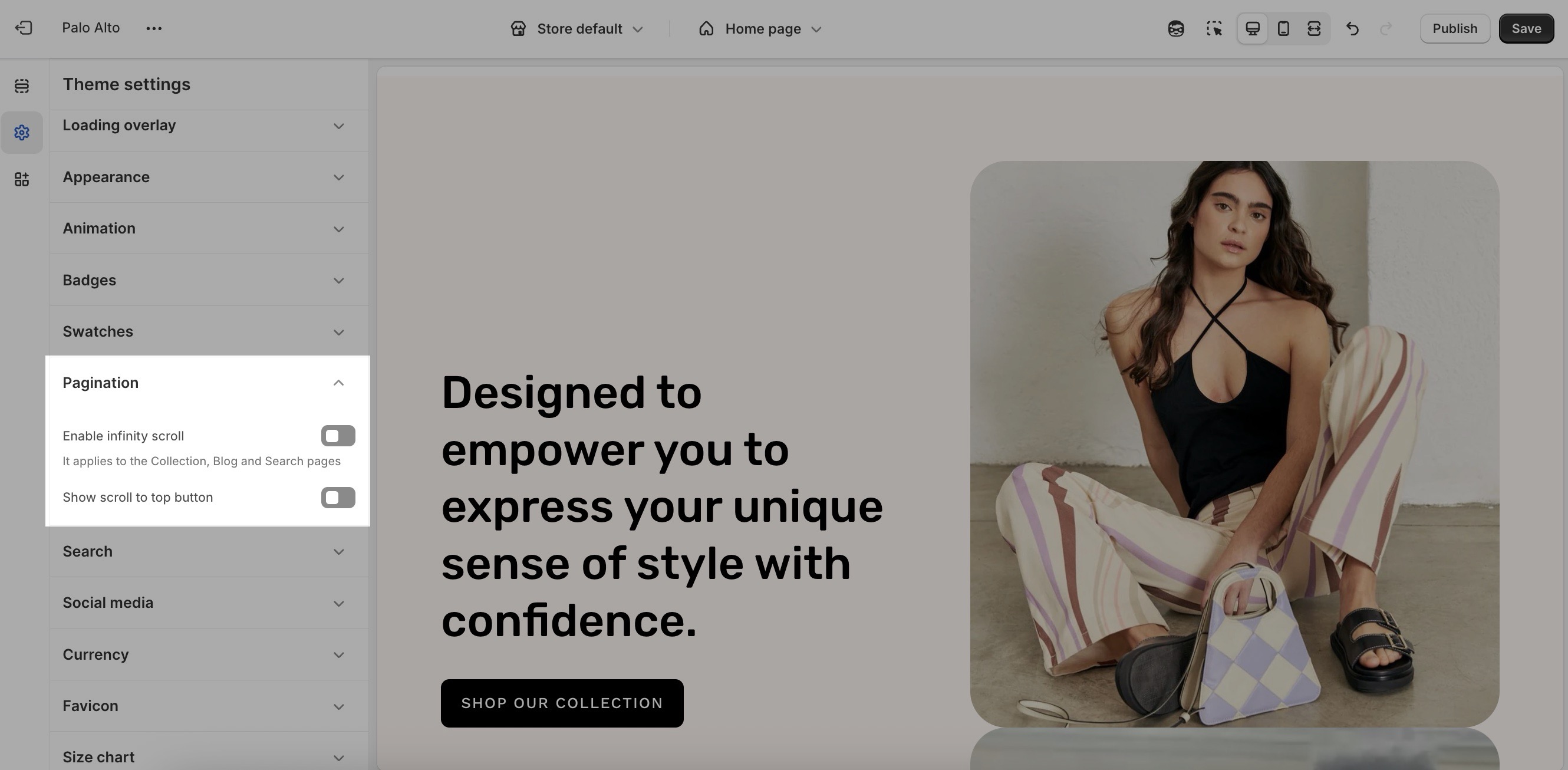
Palo Alto uses pagination to segment long collection pages and load products as the user scrolls through the page.

<figure><img src="https://891064830-files.gitbook.io/~/files/v0/b/gitbook-x-prod.appspot.com/o/spaces%2Fz8oqtXqtdhOM4CxRzekr%2Fuploads%2FsCndTJ0rvgTgXHZRK4JB%2Fpagination-theme-settings.jpg?alt=media&#x26;token=9f2a9a08-2502-48f3-a390-55770bb10d5c" alt=""><figcaption></figcaption></figure>

In Shopify, this is referred to as an 'endless scroll', in the theme settings, we refer to it as 'infinity scroll'.

<table><thead><tr><th width="209.36456298828125">Settings</th><th width="108.19708251953125" align="center">Type</th><th>Description</th></tr></thead><tbody><tr><td>Enable infinity scroll</td><td align="center"><code>checkbox</code></td><td>When enabled, new content automatically loads as the user scrolls down the page. Applies to <code>Collection</code>, <code>Blog</code>, and <code>Search</code> pages.</td></tr><tr><td>Show scroll to top button</td><td align="center"><code>checkbox</code></td><td>Floating button that scrolls to the top for easier navigation on long pages.</td></tr></tbody></table>
