> For the complete documentation index, see [llms.txt](https://palo-alto.presidiocreative.com/llms.txt). Markdown versions of documentation pages are available by appending `.md` to page URLs; this page is available as [Markdown](https://palo-alto.presidiocreative.com/products/palo-alto-product-pages/gift-card-product.md).
# Gift card product
How to create a gift card product
Palo Alto includes a feature where the customer can buy and send a gift card by email:
### How to create
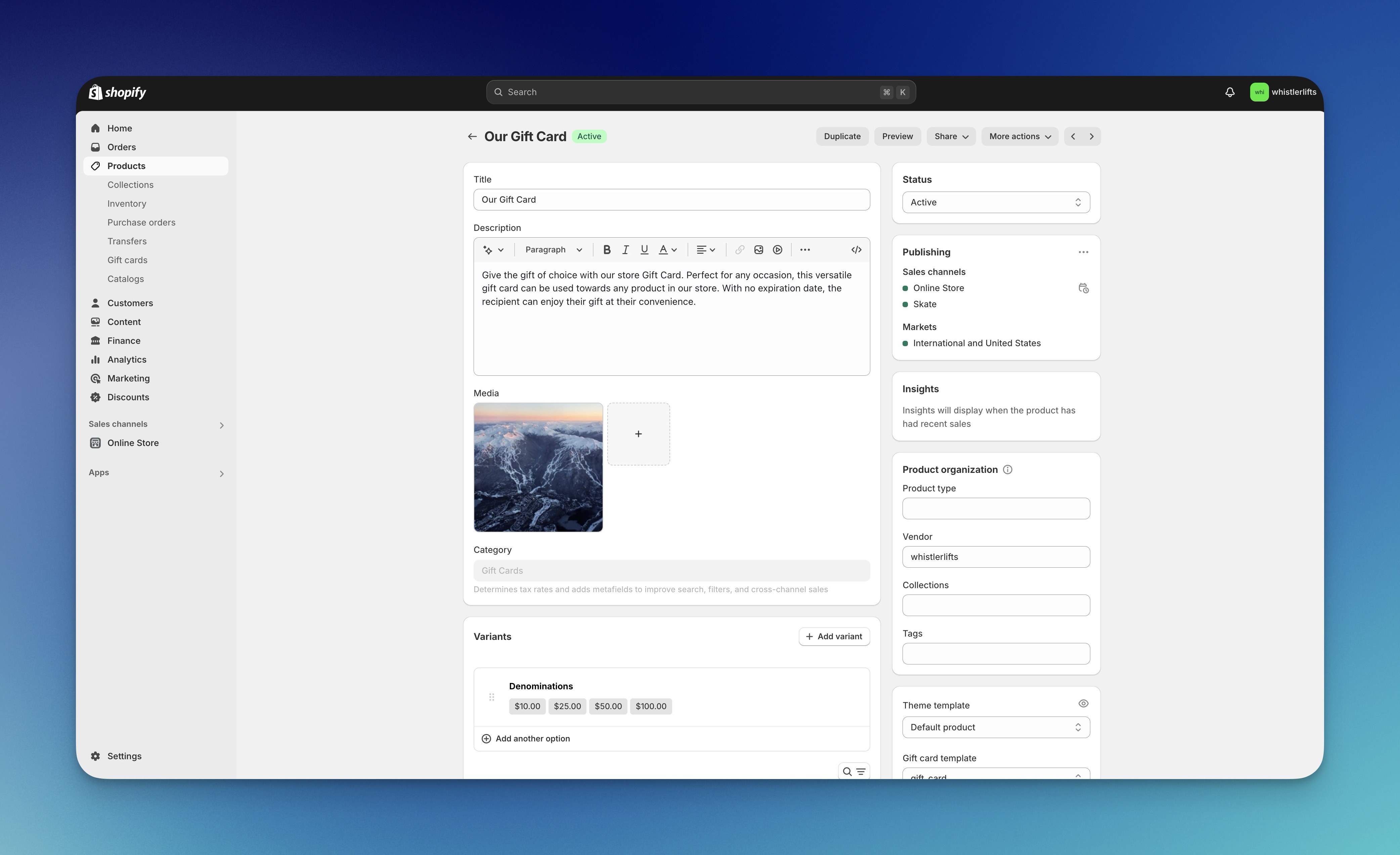
Start by creating a gift card product in your Shopify Admin under Gift cards:
Customize the details in the Product Setup:
### Theme Settings
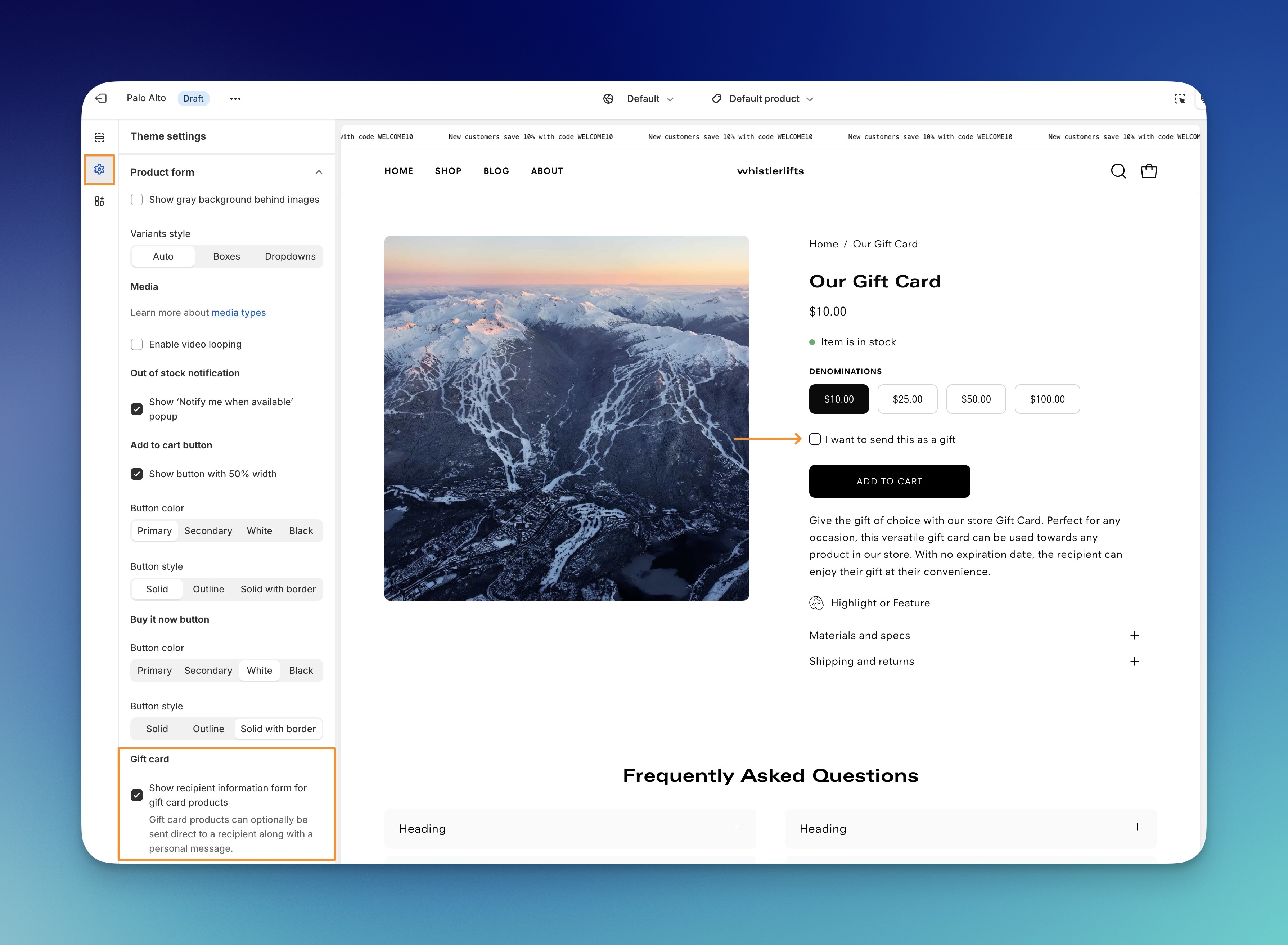
In the Theme Customizer, use the Theme settings -> Product form options and enable the feature:
The checkbox will then appear when a customer is viewing your Gift Card product.
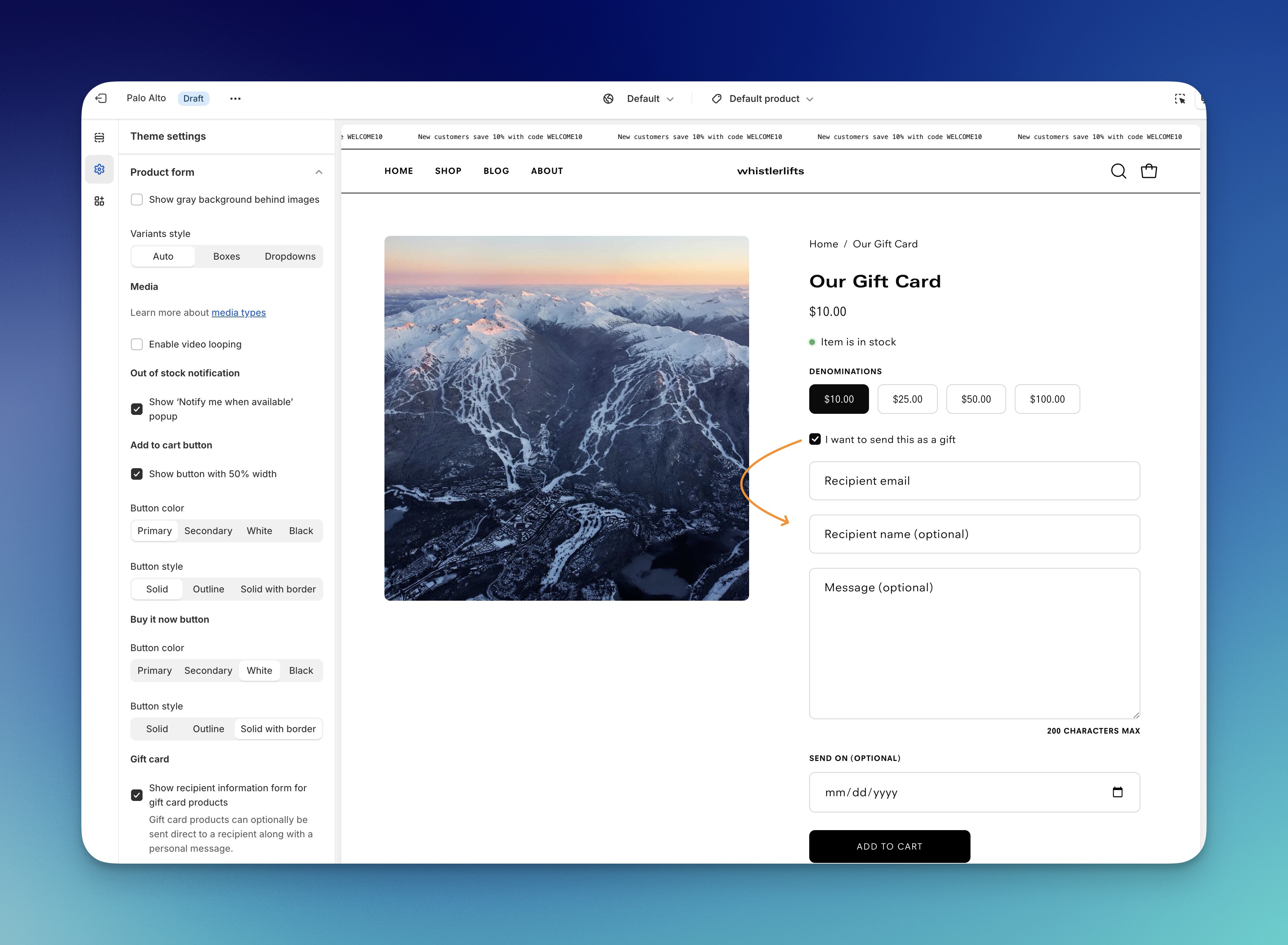
.jpg)