# Upsell

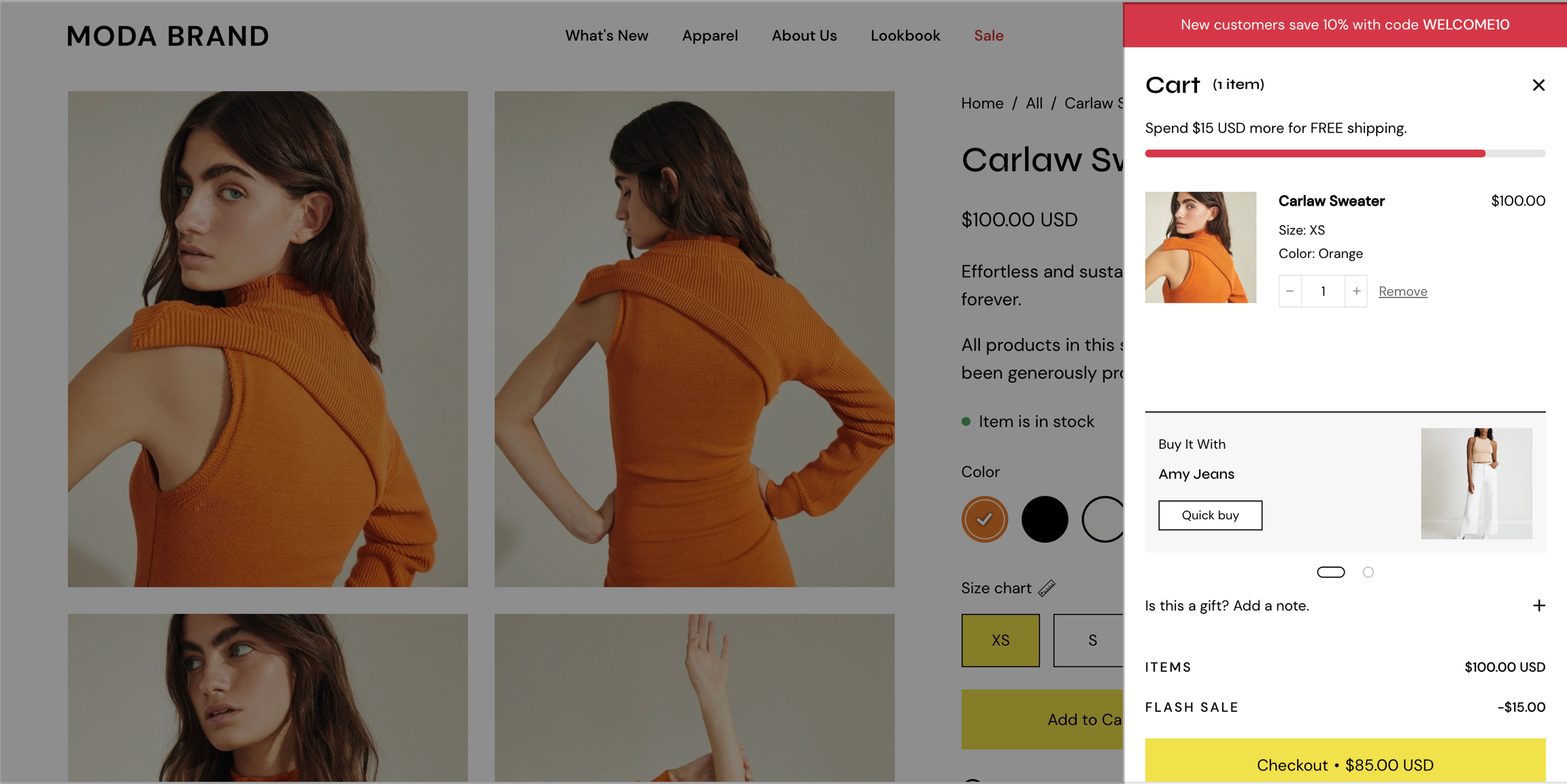
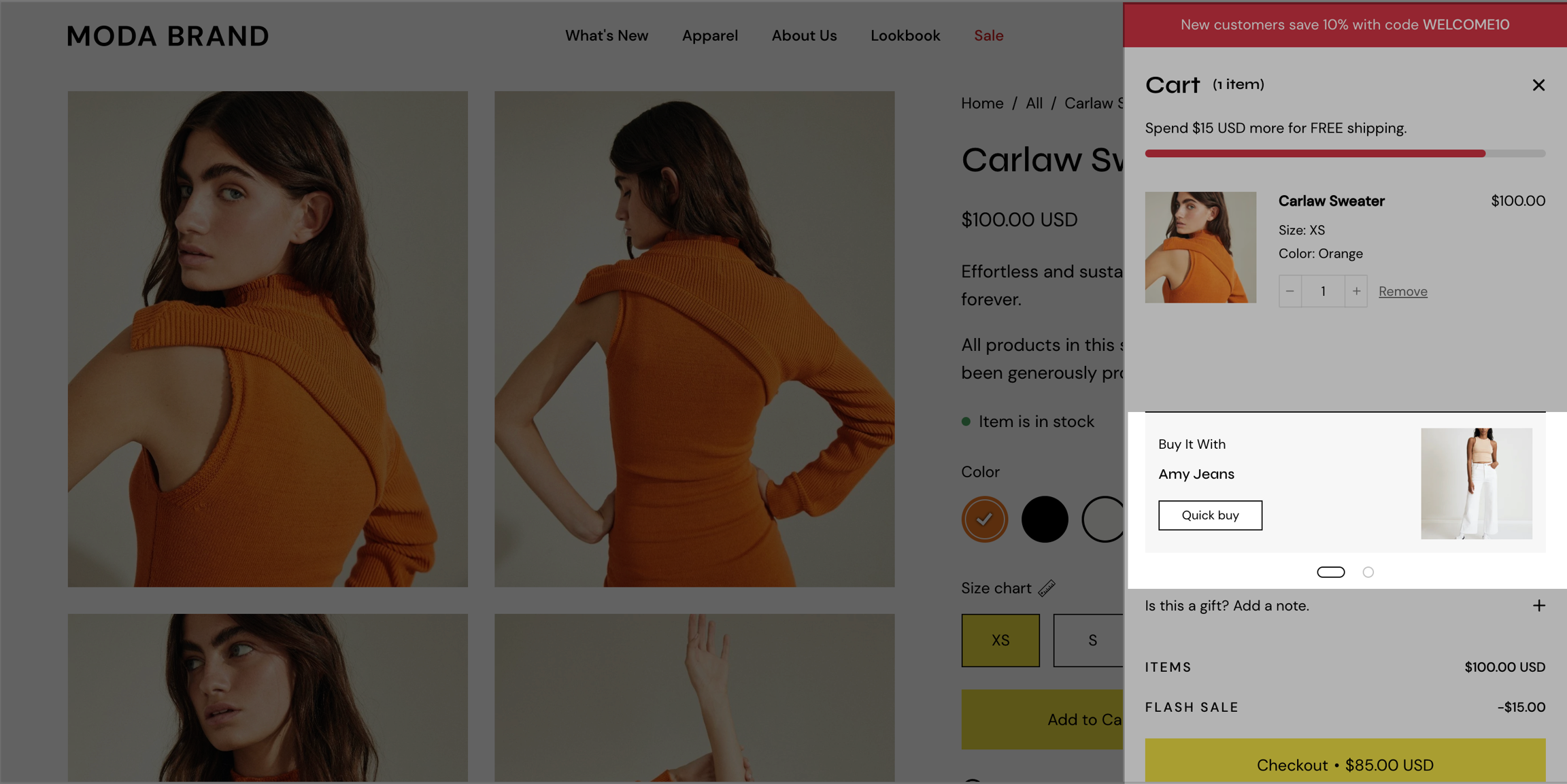
Upsell products in the cart and product pages using a custom metafield definition. You can set different combinations for different products.

<figure><img src="https://content.gitbook.com/content/euPOcbLh1oxKLt05WyGH/blobs/tyle7WTERWs96KJfLsOR/upsell.png" alt=""><figcaption></figcaption></figure>

## Upsell one product

### Setting up the new metafield definition

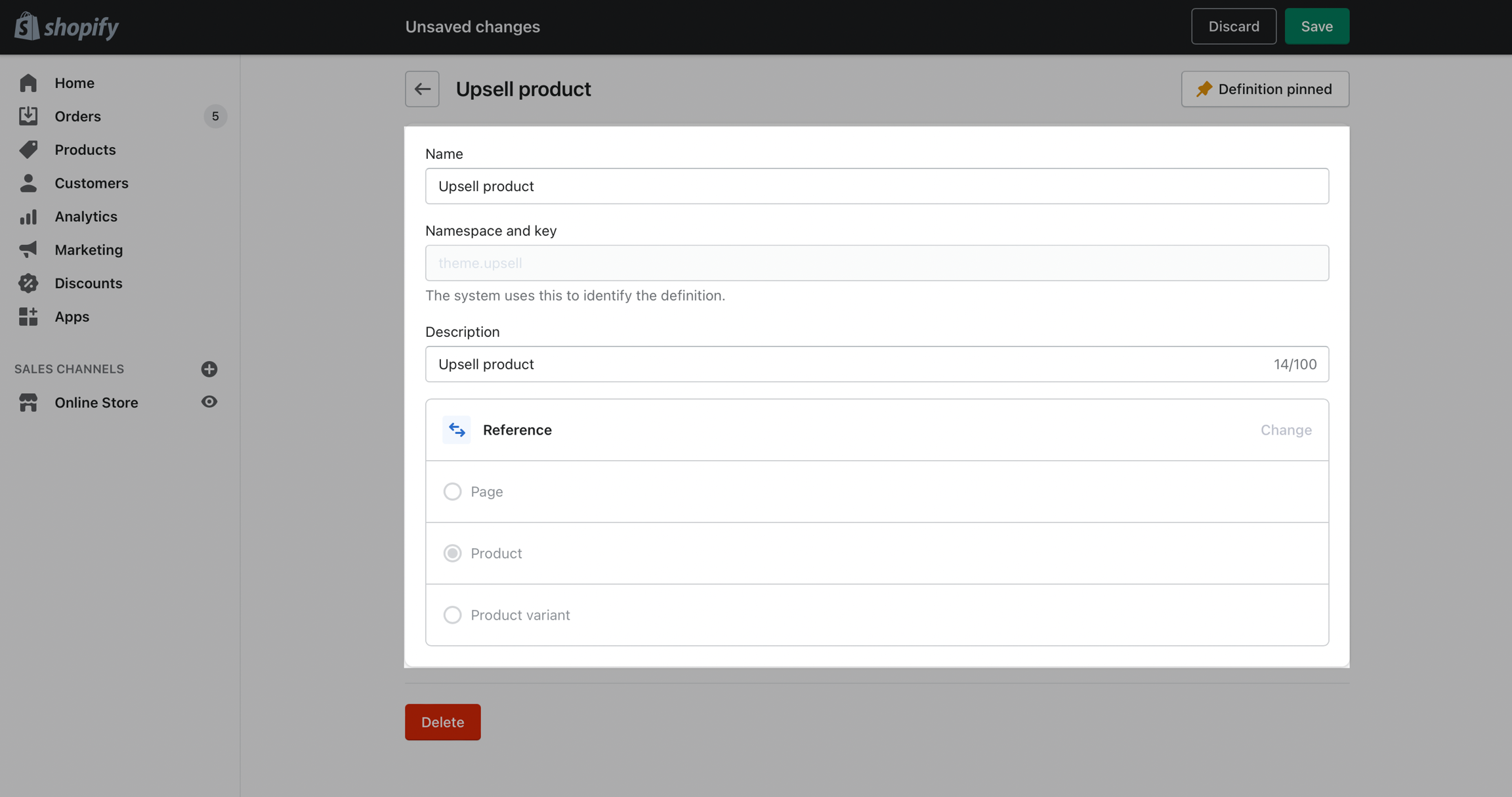
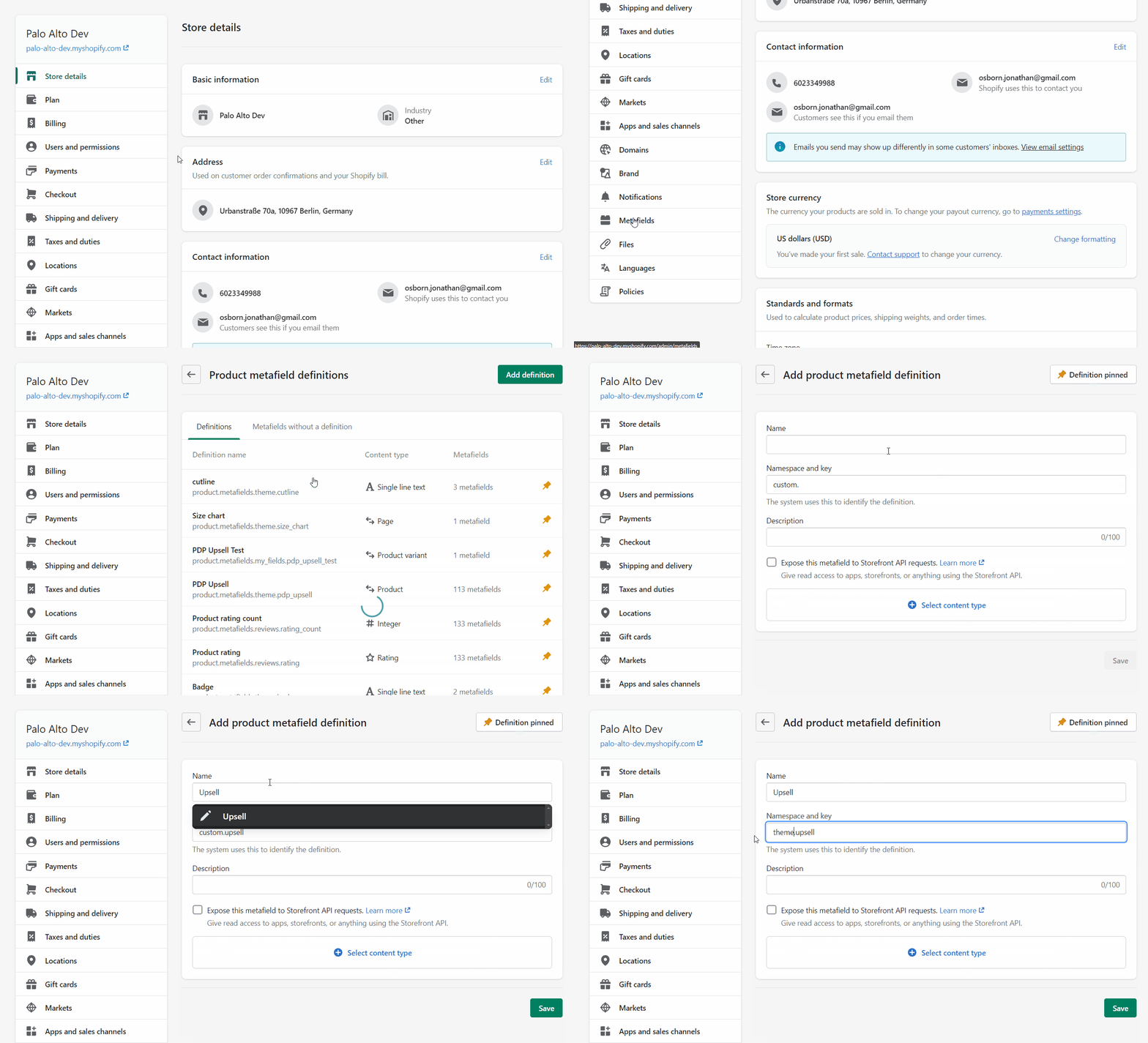
Create a new metafield definition. Use the namespace and key: `theme.upsell`&#x20;

![](https://content.gitbook.com/content/euPOcbLh1oxKLt05WyGH/blobs/dFbS0XgbyO7zDISeWoQo/theme-upsell-definition.png)

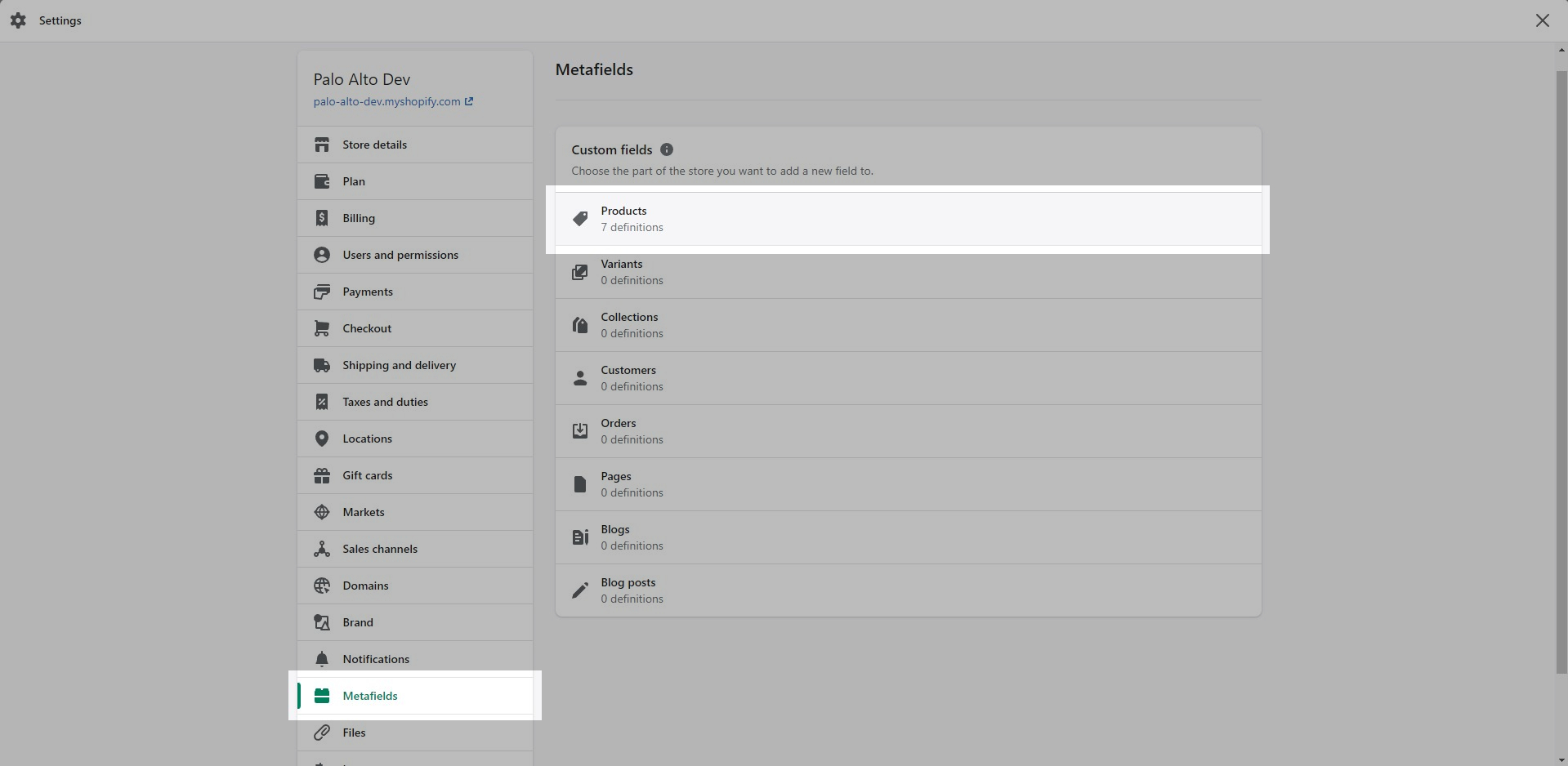
From your Shopify Admin -> Settings and choose Metafields. Next, click on **Products** *(click images to zoom)*:

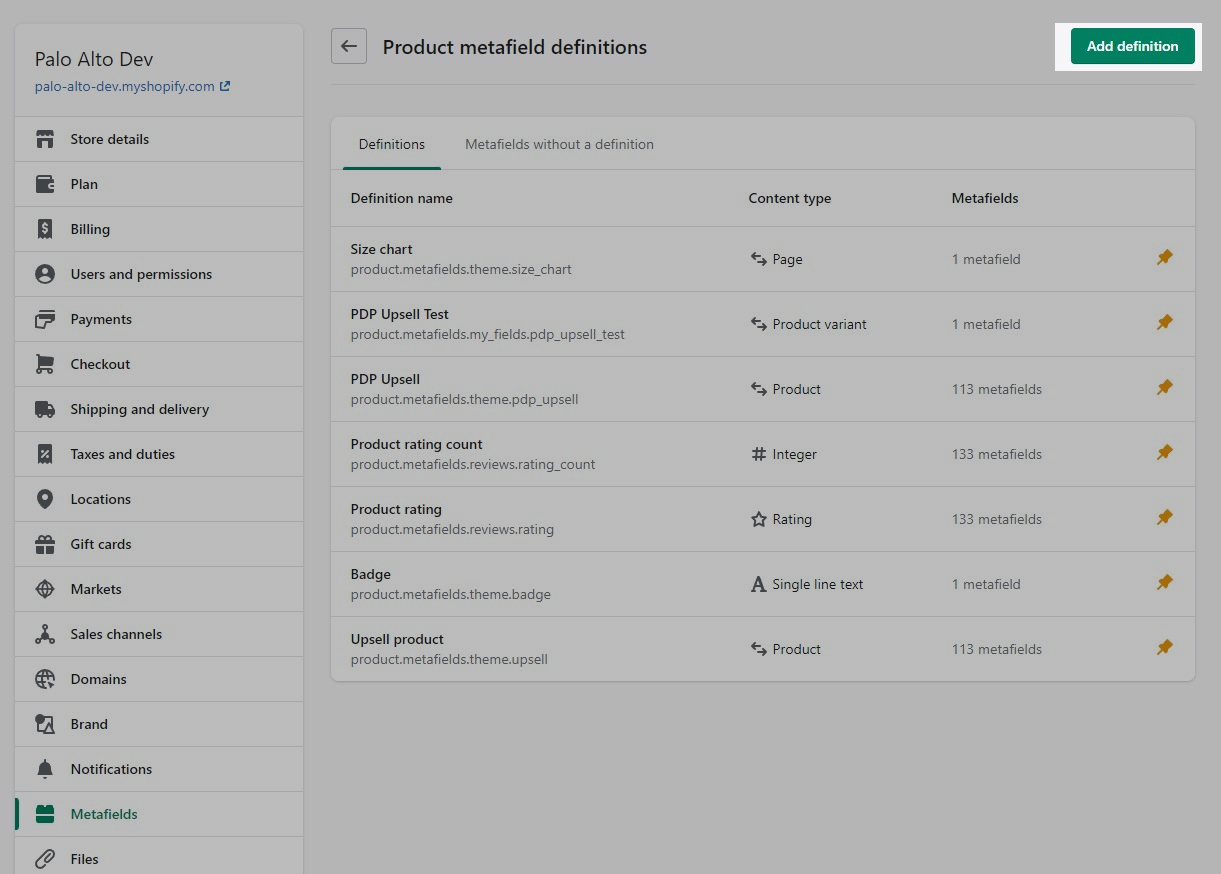
![Under 'Metafields', click on 'Products'](https://content.gitbook.com/content/euPOcbLh1oxKLt05WyGH/blobs/AAAsj1Zc6Tl2Xii28riG/metafields-settings.jpg) ![Click on the 'Add definition' button](https://content.gitbook.com/content/euPOcbLh1oxKLt05WyGH/blobs/4F7XyCrHvu9AJF7N3f4V/add-definition-button.jpg)

Click the **Add definition** button and set a name, we'll use '`Upsell`'. Next, we will use a custom namespace.

This step is **required**. Change the **default namespace** (usually called '*my\_fields*') to **`theme`**

![](https://content.gitbook.com/content/euPOcbLh1oxKLt05WyGH/blobs/ALCCbj7G5BJP9yD7na3I/new-upsell-definition.gif)

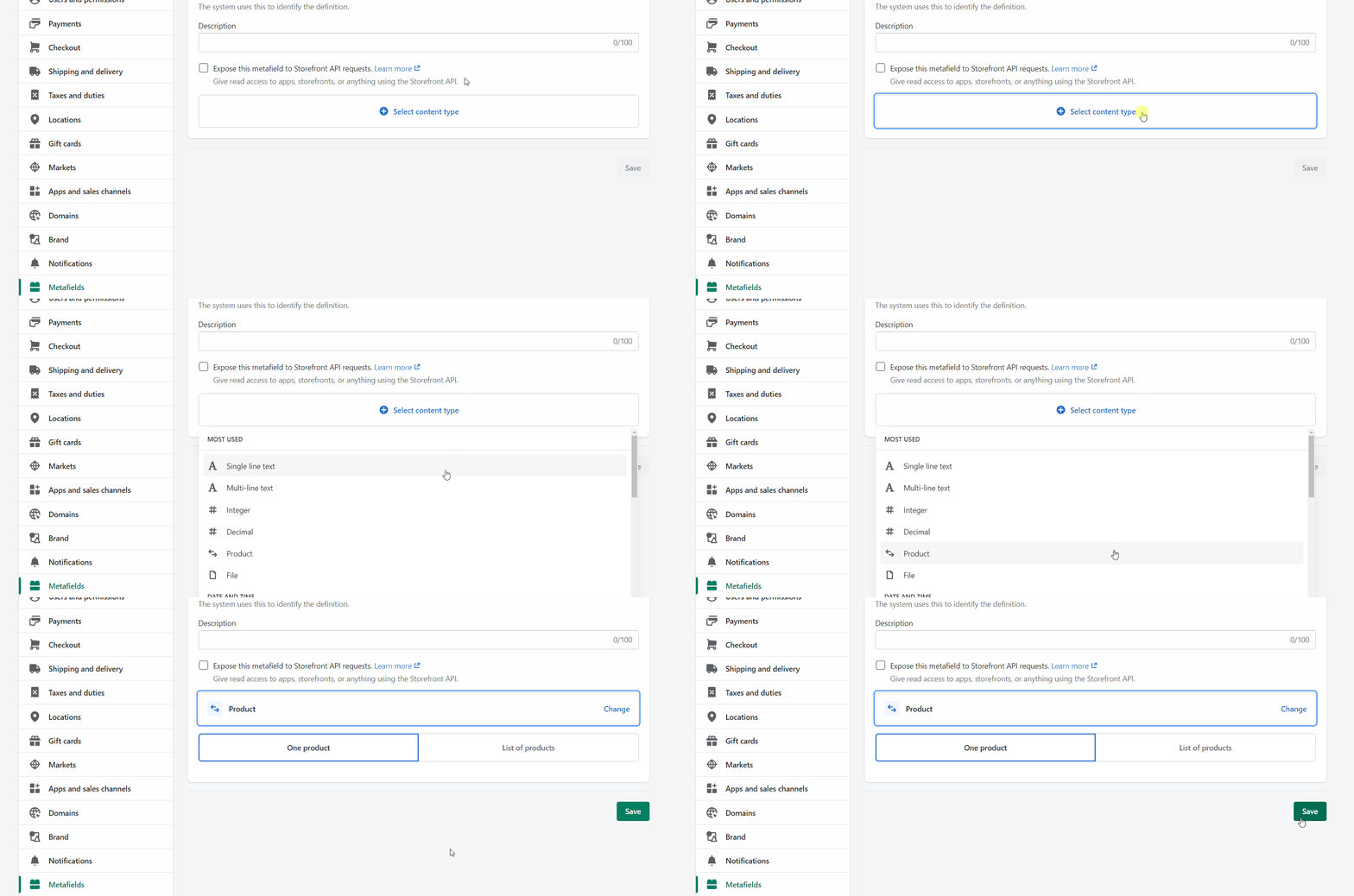
Add a description *(this is optional)* then click on **Select content type**. Here, choose the **Product** type and **Save** your new definitions.

![](https://content.gitbook.com/content/euPOcbLh1oxKLt05WyGH/blobs/xgEjJ596Dp8kwxkQZqax/select-product-type.gif)

### Product setup

The final step is to edit any of your products in the Shopify Admin -> Products and update the new `upsell` metafield.

All you need to do is scroll to the bottom of the product setup page and fill them in:

![](https://content.gitbook.com/content/euPOcbLh1oxKLt05WyGH/blobs/LIHBlmr0QNsyuKPDWZe5/add-new-upsell-to-product.gif)

Don't forget to **Save** your product and preview it on the cart drawer (or cart page).

<figure><img src="https://content.gitbook.com/content/euPOcbLh1oxKLt05WyGH/blobs/EWn3BJw0EybewRhxUp0V/upsell-product.png" alt=""><figcaption></figcaption></figure>

## Upsell a list of products

### Setting up the new metafield definition

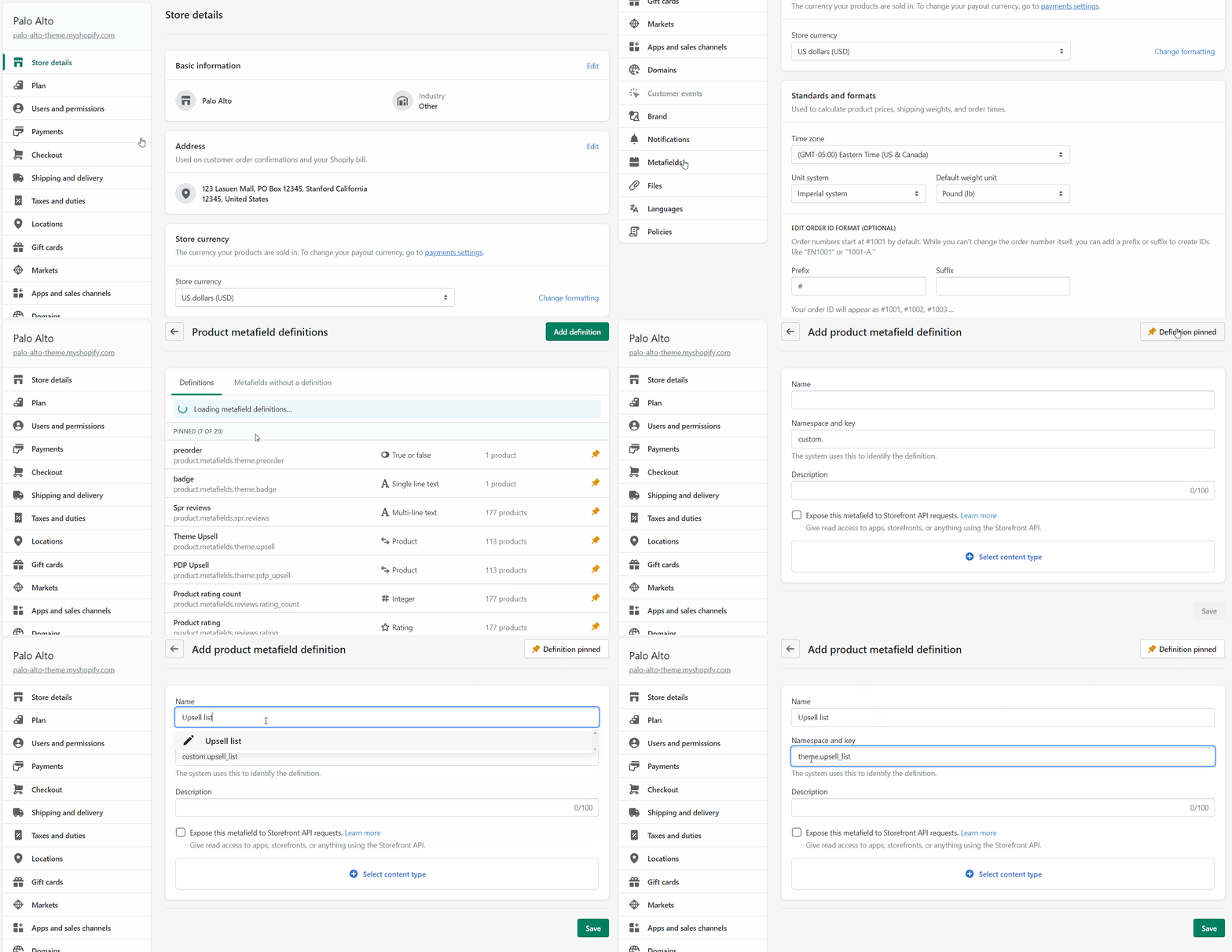
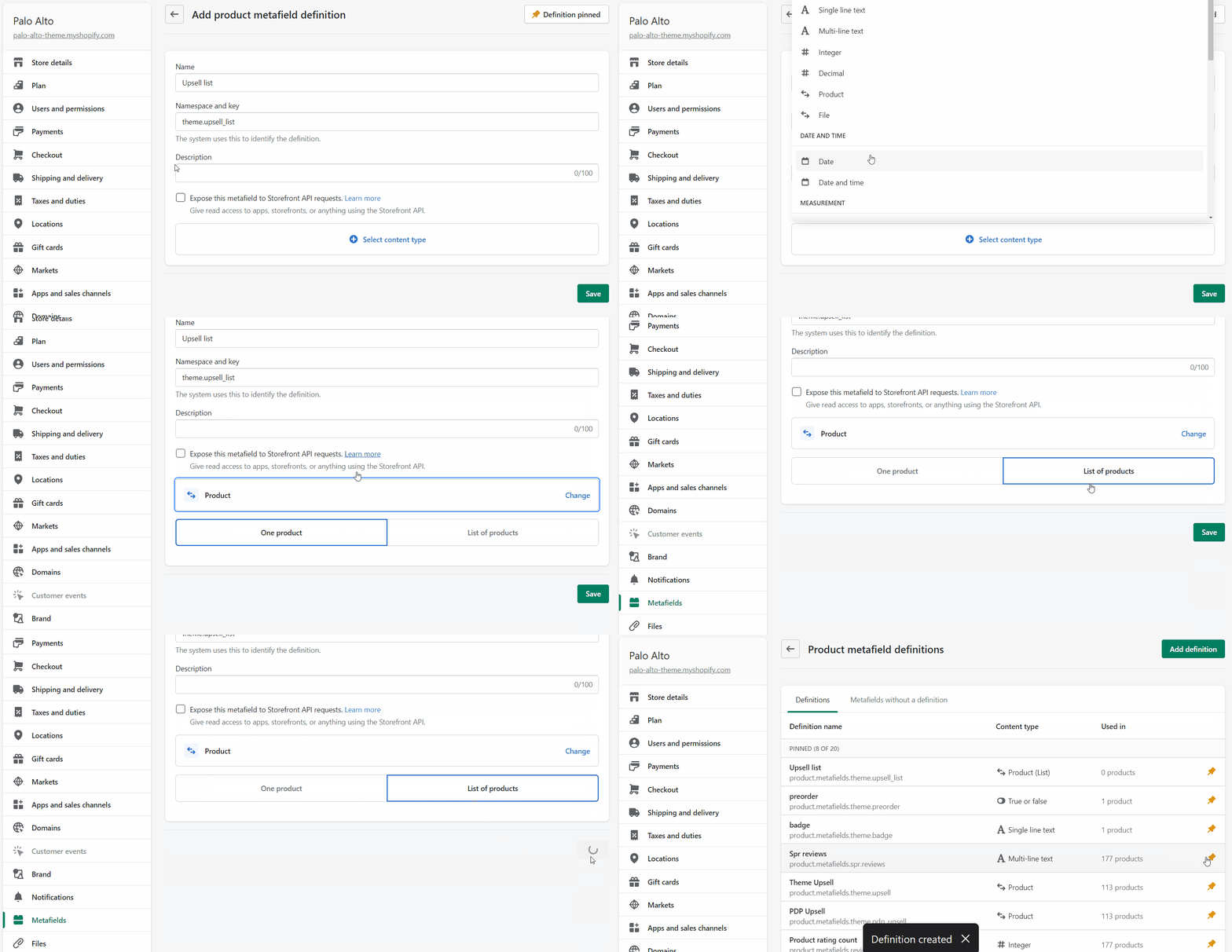
Create a new metafield definition. This time, use the namespace and key: `theme.upsell_list`&#x20;

<figure><img src="https://content.gitbook.com/content/euPOcbLh1oxKLt05WyGH/blobs/zAXP9XDh50x7kkmHc0rV/upsell-list-definition.gif" alt=""><figcaption></figcaption></figure>

Choose the Product type then set it to a 'List of products'.

<figure><img src="https://content.gitbook.com/content/euPOcbLh1oxKLt05WyGH/blobs/QCG1yXxiYYdcS079xuaz/product-list-type.gif" alt=""><figcaption></figcaption></figure>

### Product setup

The final step is to edit any of your products in the Shopify Admin -> Products and update the `upsell_list` metafield.

All you need to do is scroll to the bottom of the product setup page and fill them in.

<figure><img src="https://content.gitbook.com/content/euPOcbLh1oxKLt05WyGH/blobs/80c0FZ2ldG7Dn9u2gijI/upsell-list-setup.gif" alt=""><figcaption></figcaption></figure>

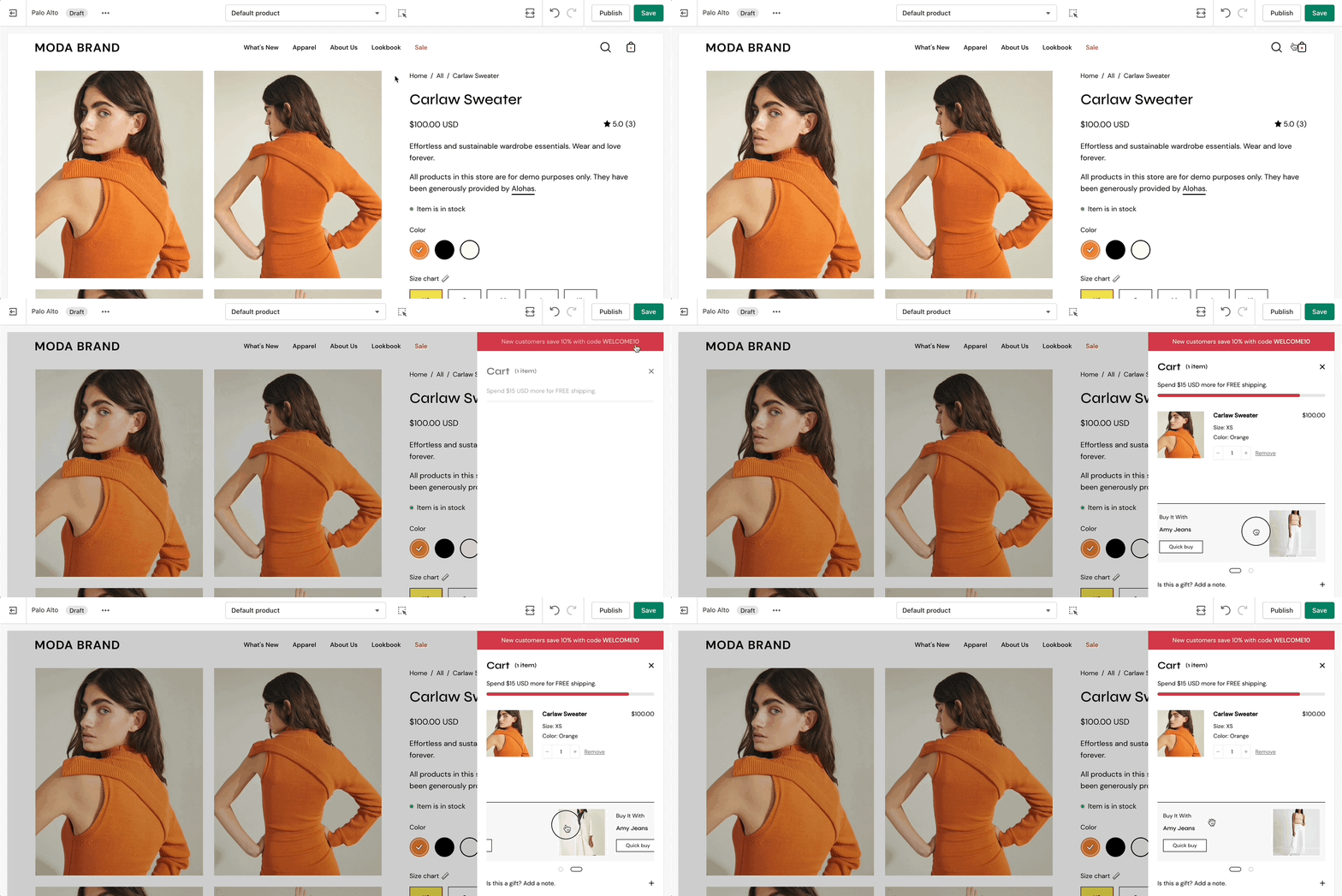
Don't forget to **Save** the changes and test them out in the cart:

<figure><img src="https://content.gitbook.com/content/euPOcbLh1oxKLt05WyGH/blobs/dDmXkgWs7MAQCnIH7oVD/upsell-changes.gif" alt=""><figcaption></figcaption></figure>