> For the complete documentation index, see [llms.txt](https://palo-alto.presidiocreative.com/llms.txt). Markdown versions of documentation pages are available by appending `.md` to page URLs; this page is available as [Markdown](https://palo-alto.presidiocreative.com/palo-alto-4.4/products/pre-order.md).
# Pre-order
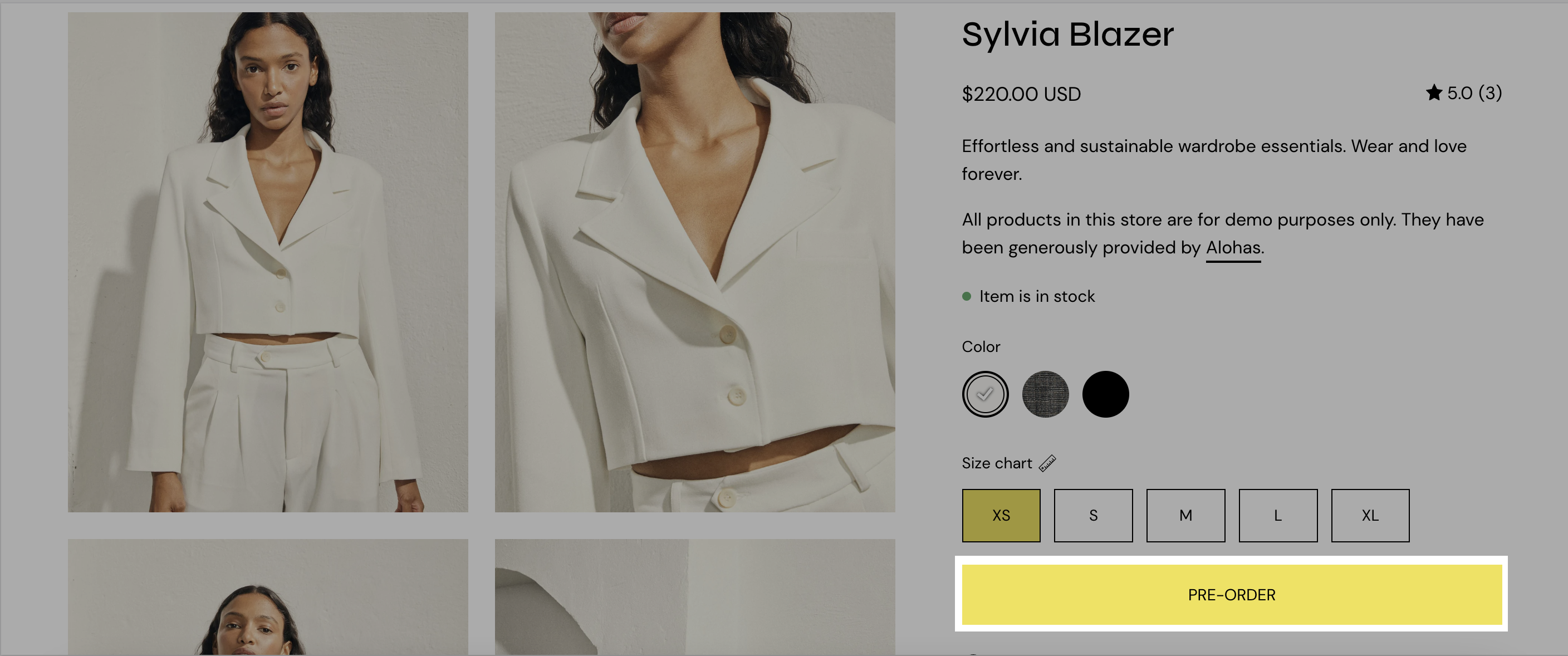
Replace the 'Add to Cart' button with a 'Pre-Order' button
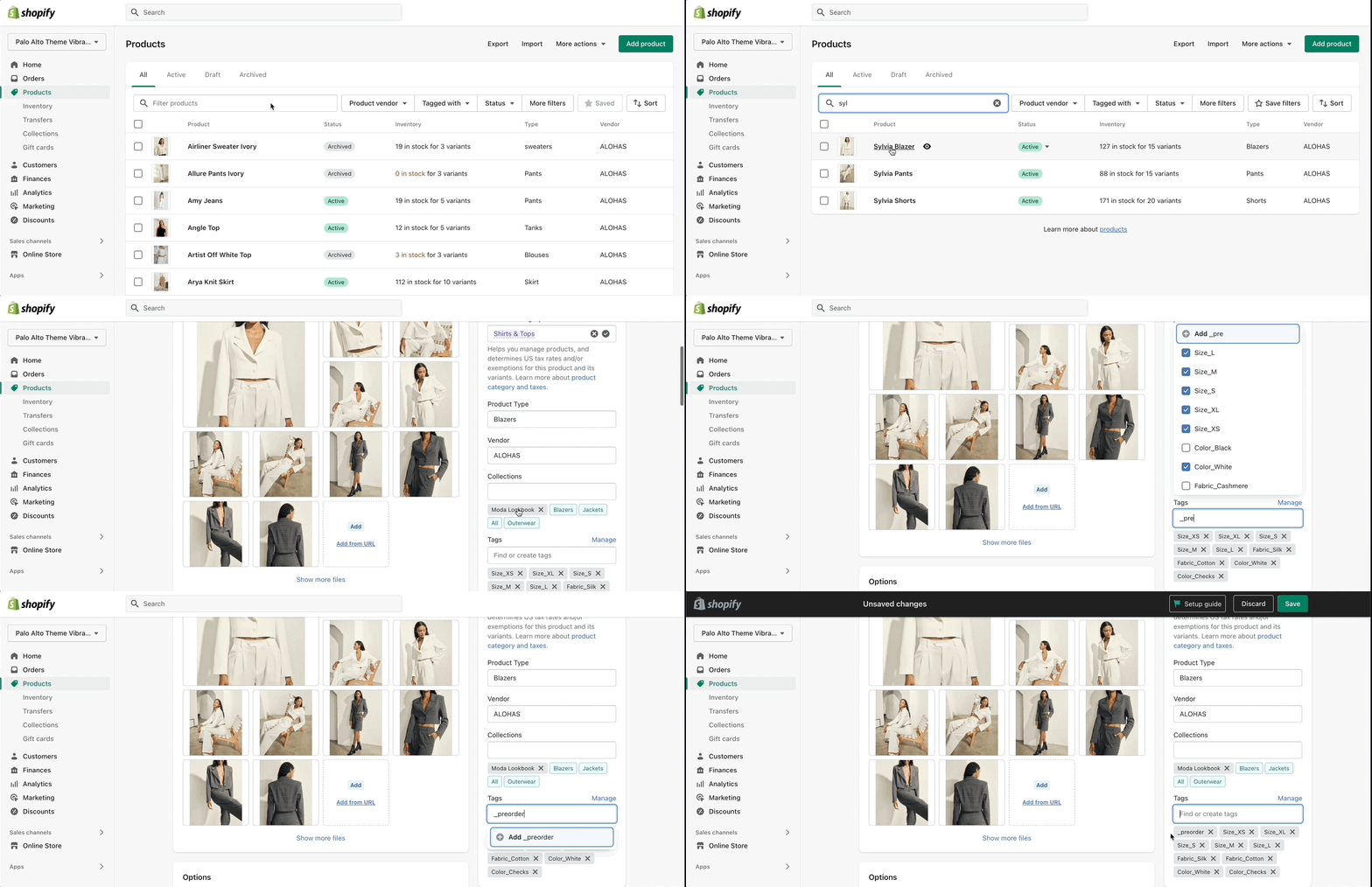
Palo Alto uses product tags for creating Pre-order products. When you define a Pre-order tag, you can easily convert the 'Add to Cart' button to a 'Pre-Order' button.
## How to setup
Setting up a Pre-order tag is very simple and can be done right in your Shopify Admin.
### Pre-order template
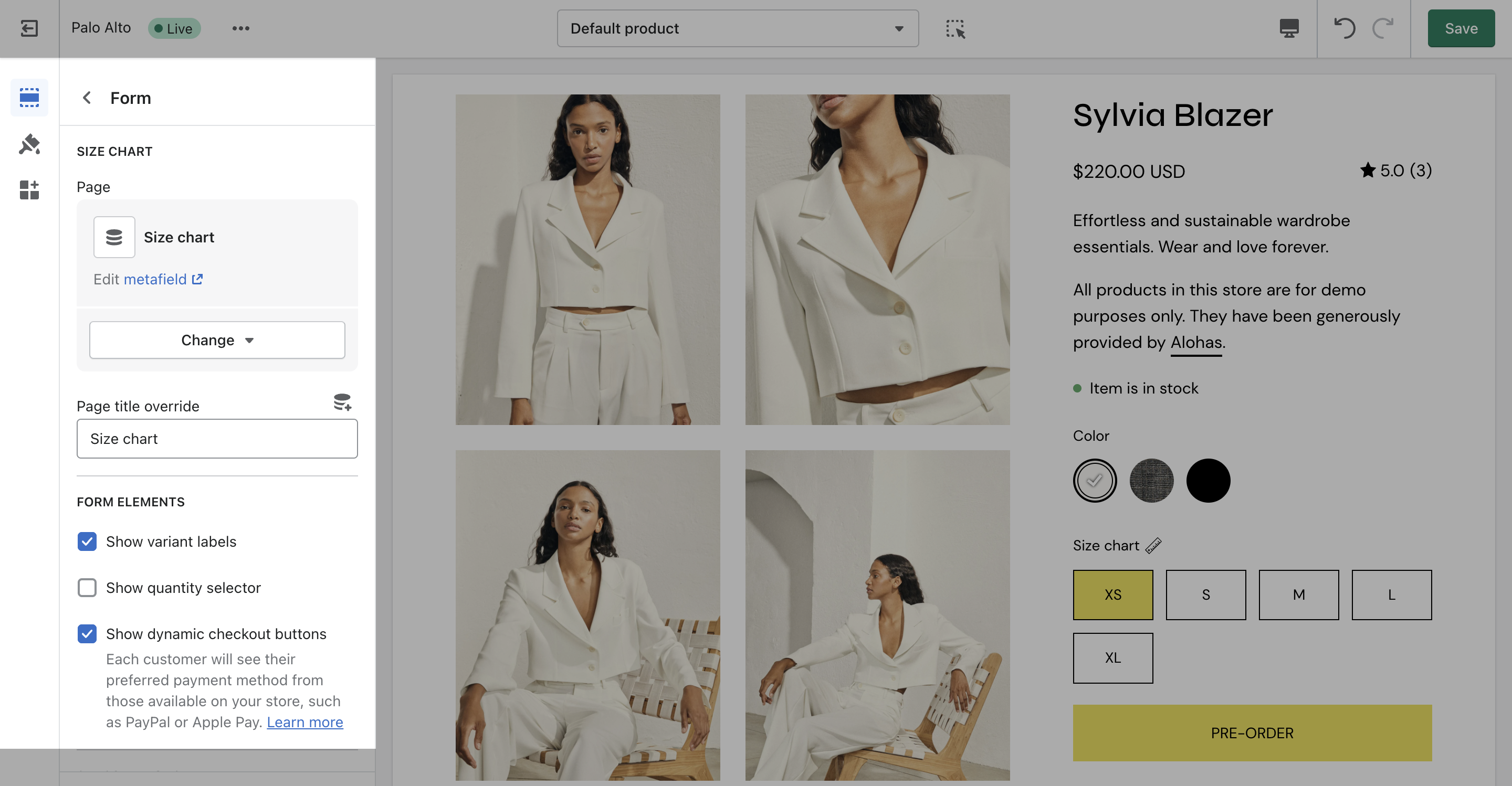
To remove the **Buy it now button**, you can create a Pre-order product template and uncheck '*Show dynamic checkout buttons'* under the **Form** block.
{% content-ref url="/pages/-Mk26MyaGXZmNavo9mTb" %}
[Creating new Product page templates](/palo-alto-4.4/products/creating-product-templates.md)
{% endcontent-ref %}