> For the complete documentation index, see [llms.txt](https://palo-alto.presidiocreative.com/llms.txt). Markdown versions of documentation pages are available by appending `.md` to page URLs; this page is available as [Markdown](https://palo-alto.presidiocreative.com/palo-alto-4.6/footer/footer-copyright.md).
# How to remove the Shopify credit
Remove Powered by Shopify credit in Footer
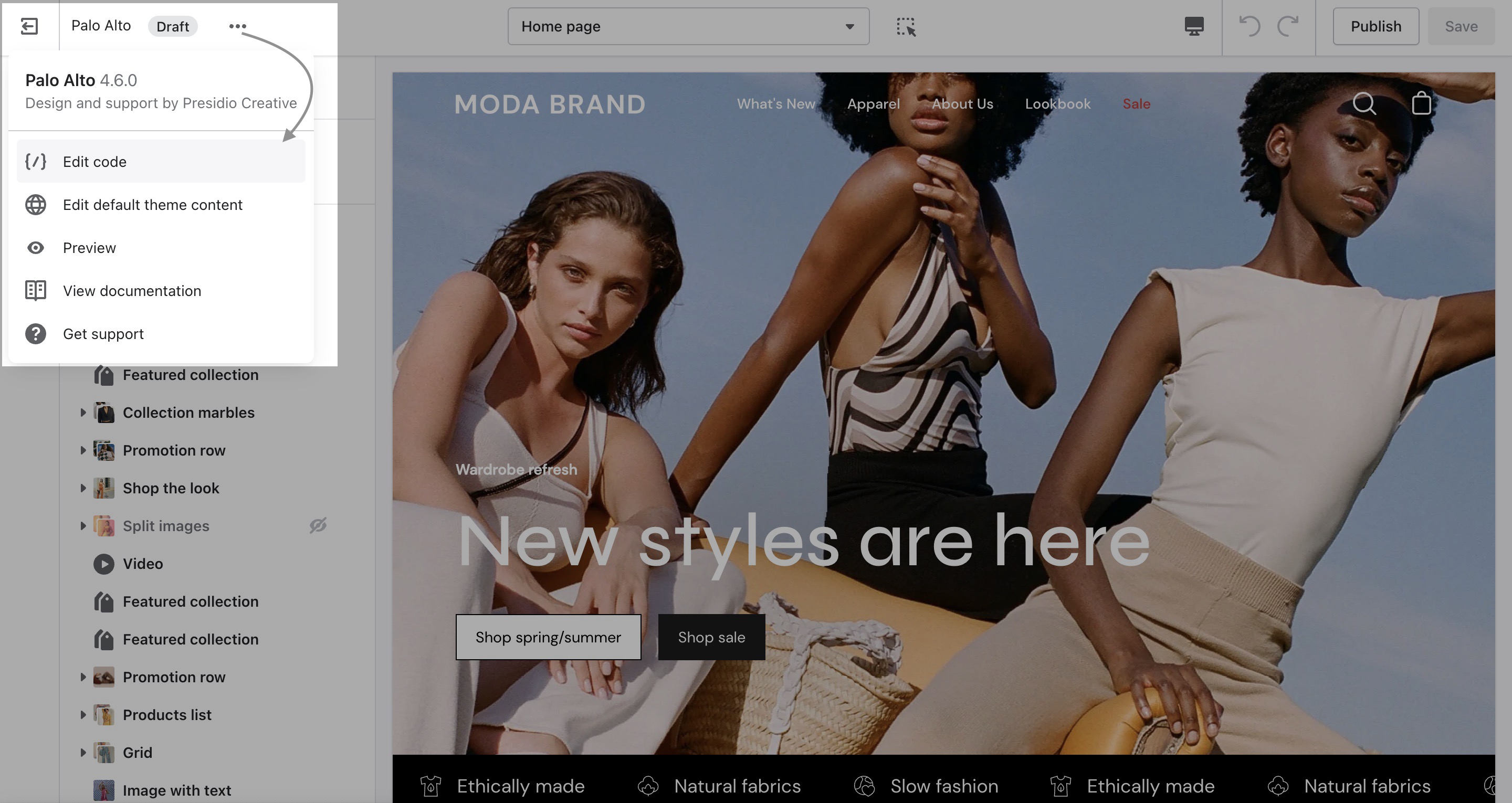
### Accessing the Theme Code.
Click on the ellipses (three dots) icon at the top of the Theme Editor to view the theme actions and choose Edit code:
### Hiding the copyright information.
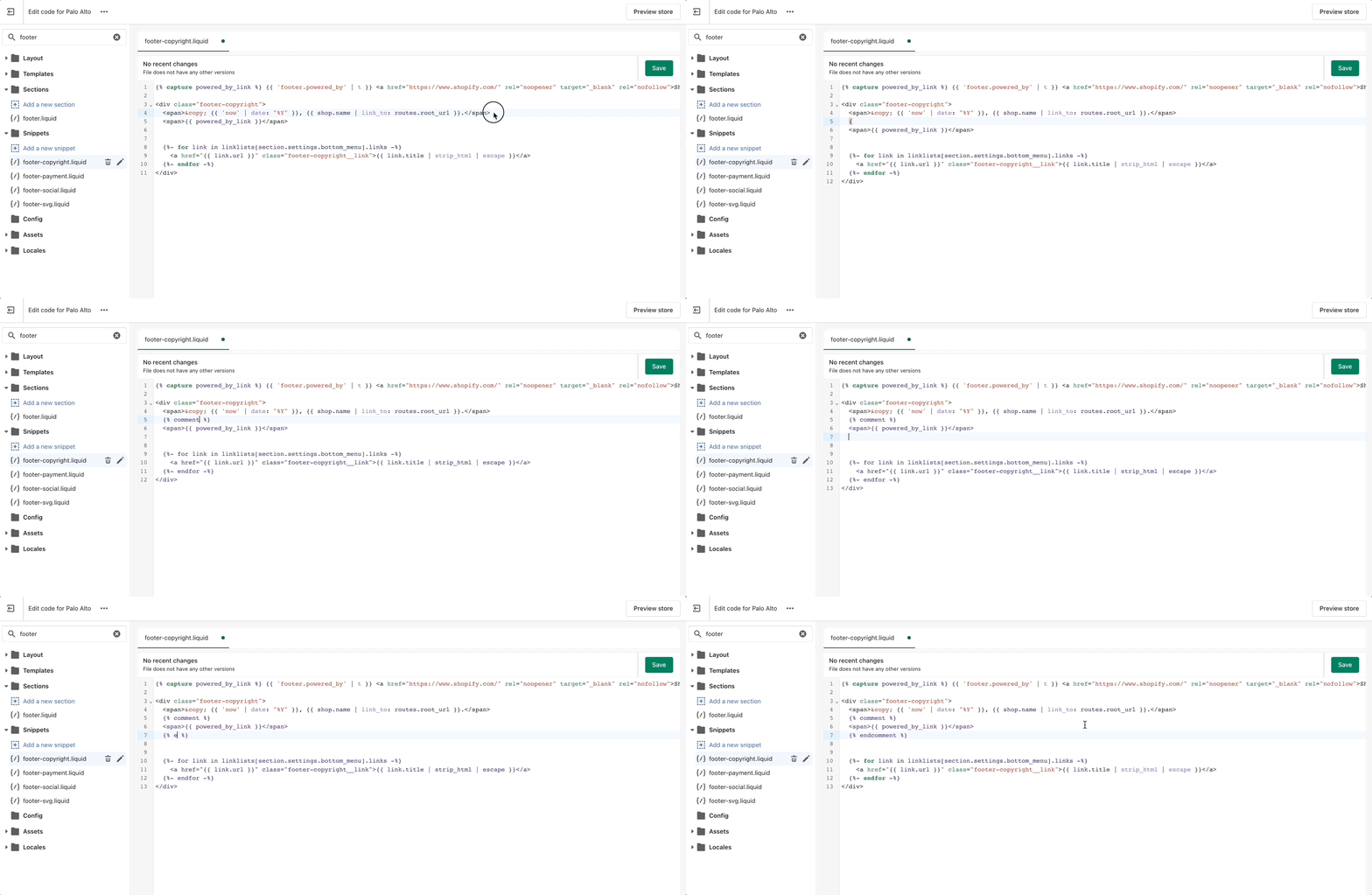
1. Open the `'footer-copyright.liquid'` file from the Snippets folder.
2. Place an opening (`{% comment %}`) comment tag before the `powered_by_link` span.
3. Place a closing (`{% endcomment %}`) comment tag after the `powered_by_link` span.
4. Save the changes.