Replace the 'Add to Cart' button with a 'Pre-Order' button using metafields
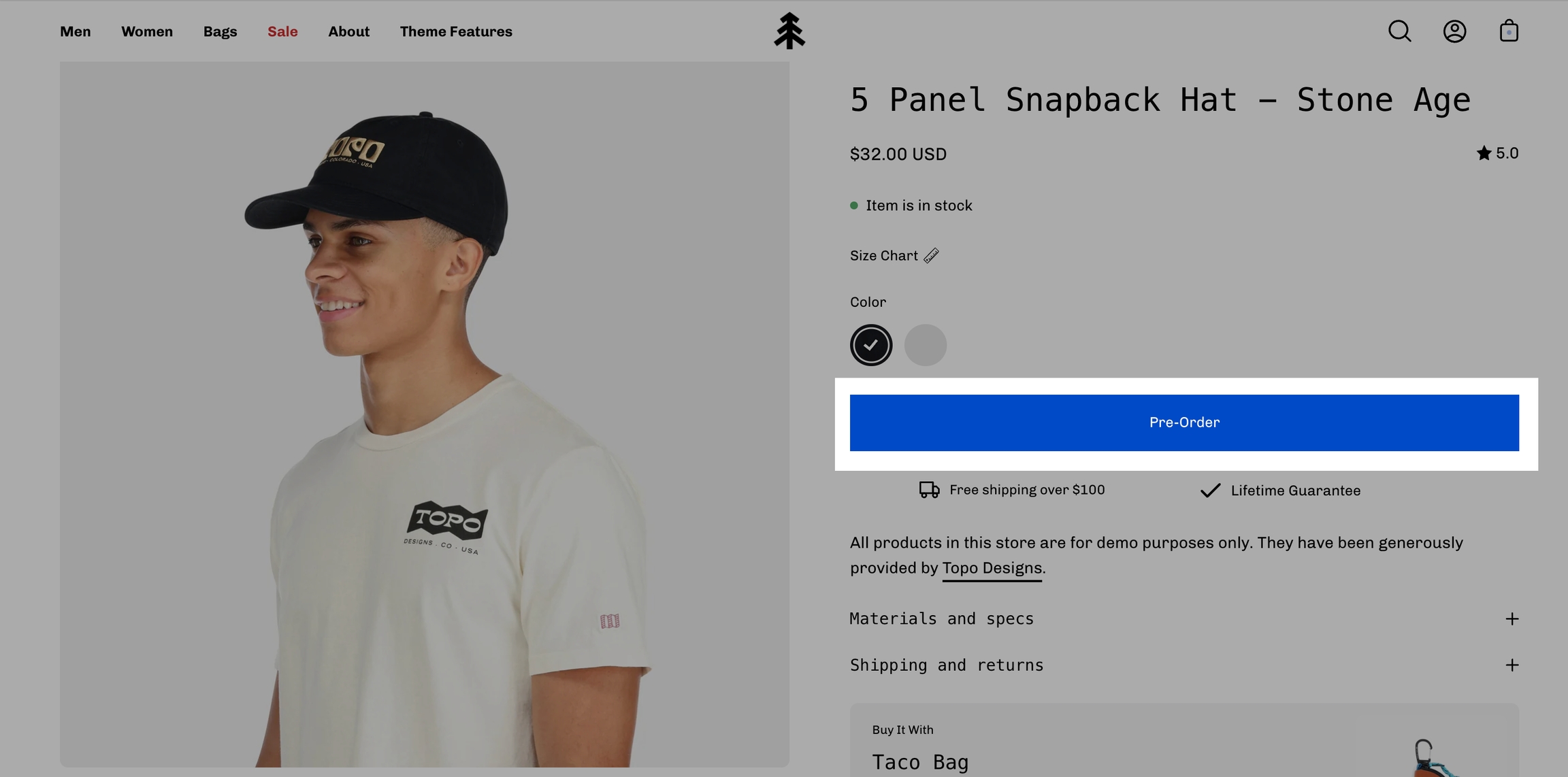
Palo Alto supports metafields for creating Pre-order products. When you define a Pre-order metafield, you can easily convert the 'Add to Cart' button to a 'Pre-Order' button.
Setting up a Pre-order metafield is very simple and can be done right in your Shopify Admin.
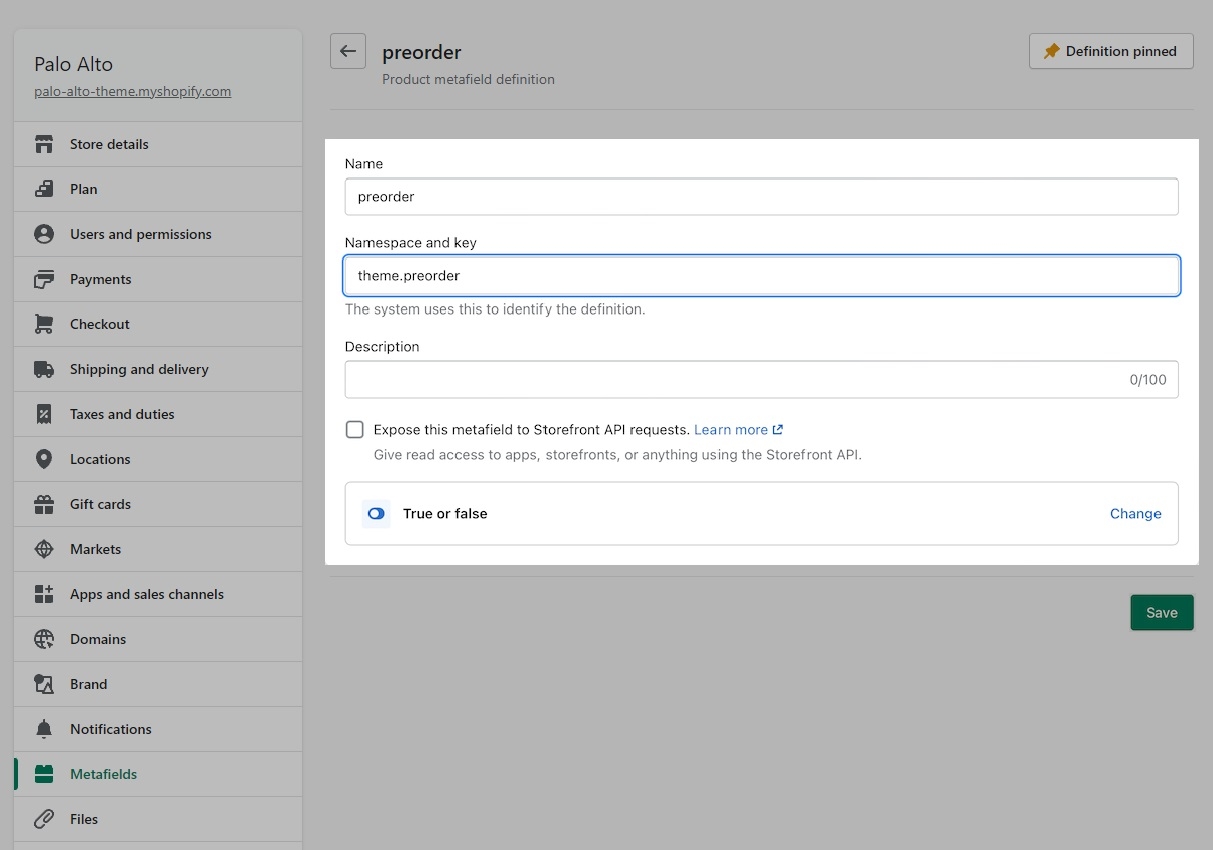
Create a product metafield with the namespace and key set to theme.preorder. Set the content type to True or false.
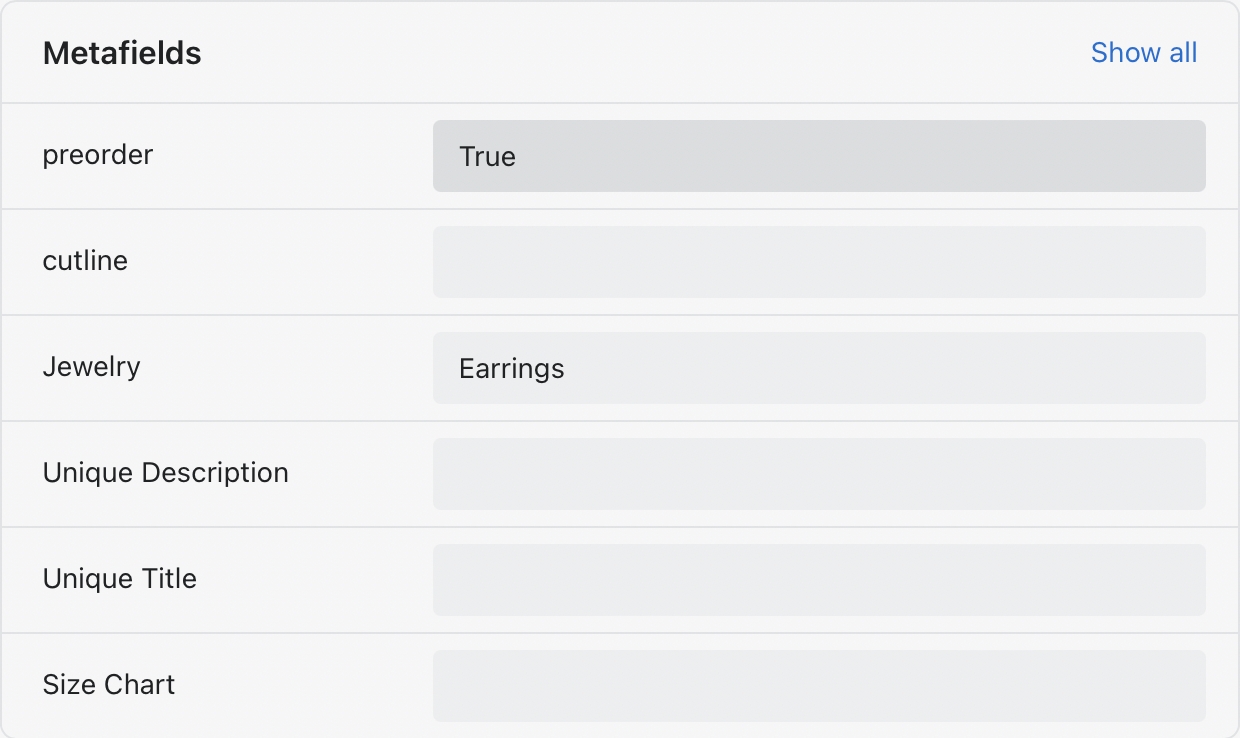
In the Metafields section of any product that you'd like to use the feature, change the 'preorder' value to True:
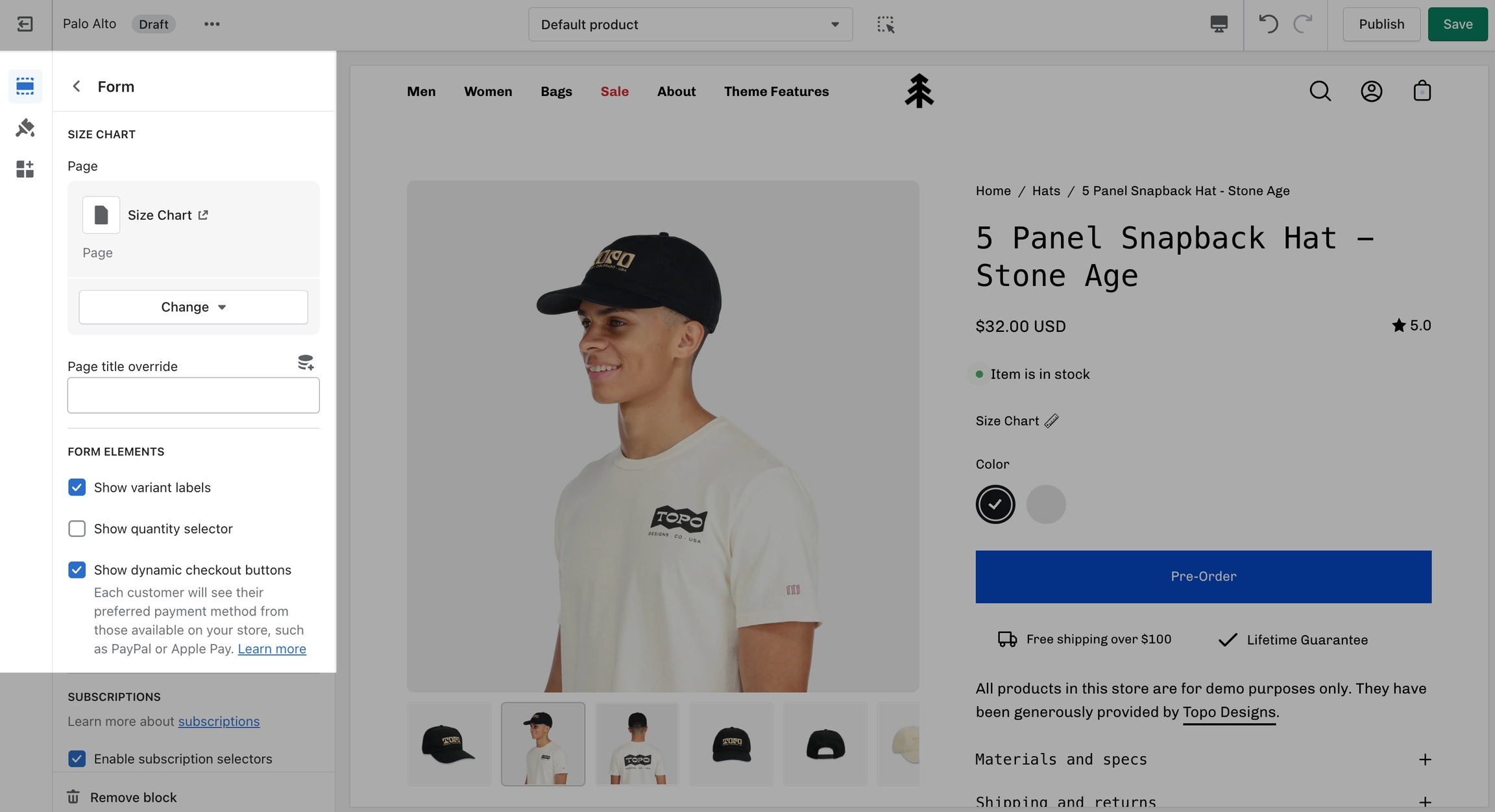
To remove the Buy it now button, you can create a Pre-order product template and uncheck 'Show dynamic checkout buttons' under the Form block.