# Pre-order using metafields
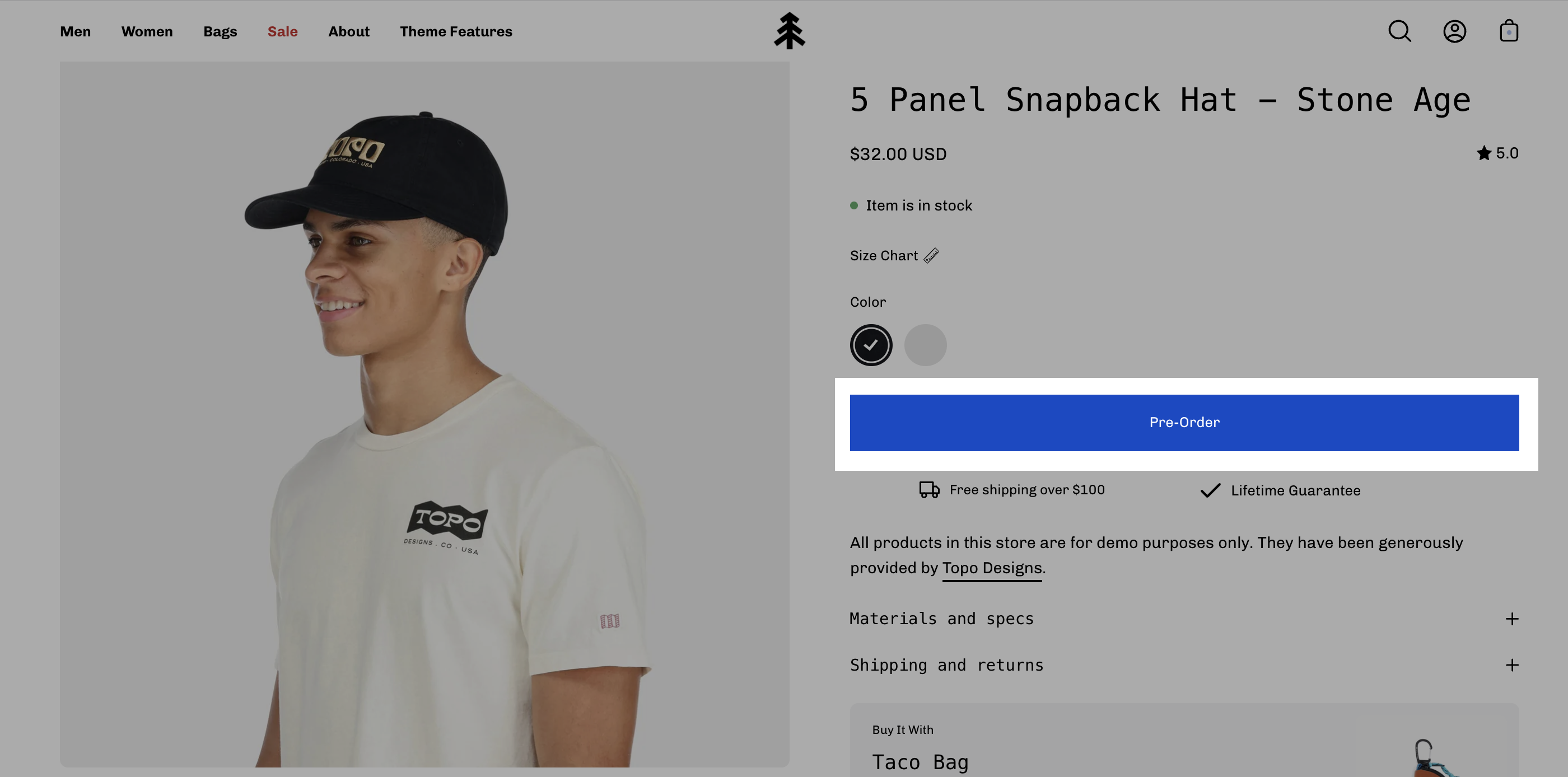
Palo Alto supports metafields for creating Pre-order products. When you define a Pre-order metafield, you can easily convert the 'Add to Cart' button to a 'Pre-Order' button.
## How to setup
Setting up a Pre-order metafield is very simple and can be done right in your Shopify Admin.
### Metafield definition
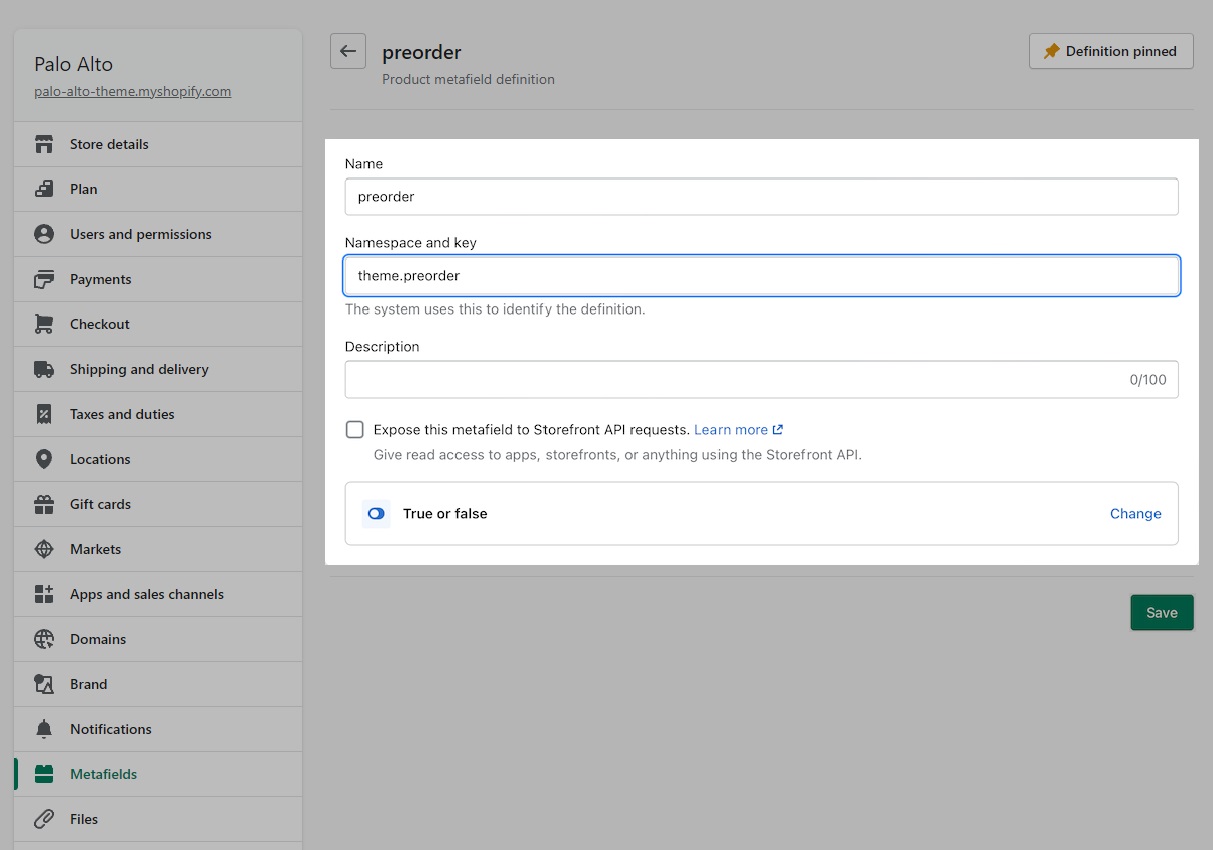
Create a product metafield with the namespace and key set to `theme.preorder`. Set the content type to **True or false.**
### Product setup
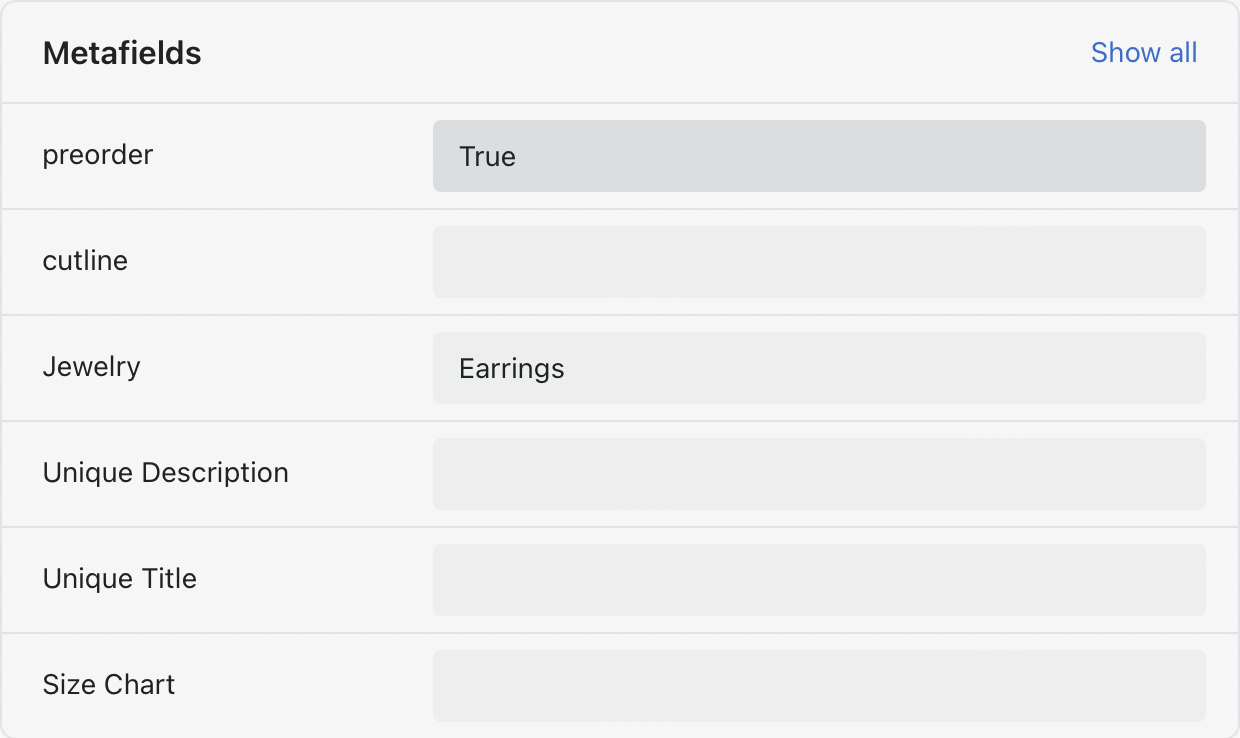
In the Metafields section of any product that you'd like to use the feature, change the 'preorder' value to True:
Bottom of product setup page in the Shopify Admin -> Products
### Pre-order template
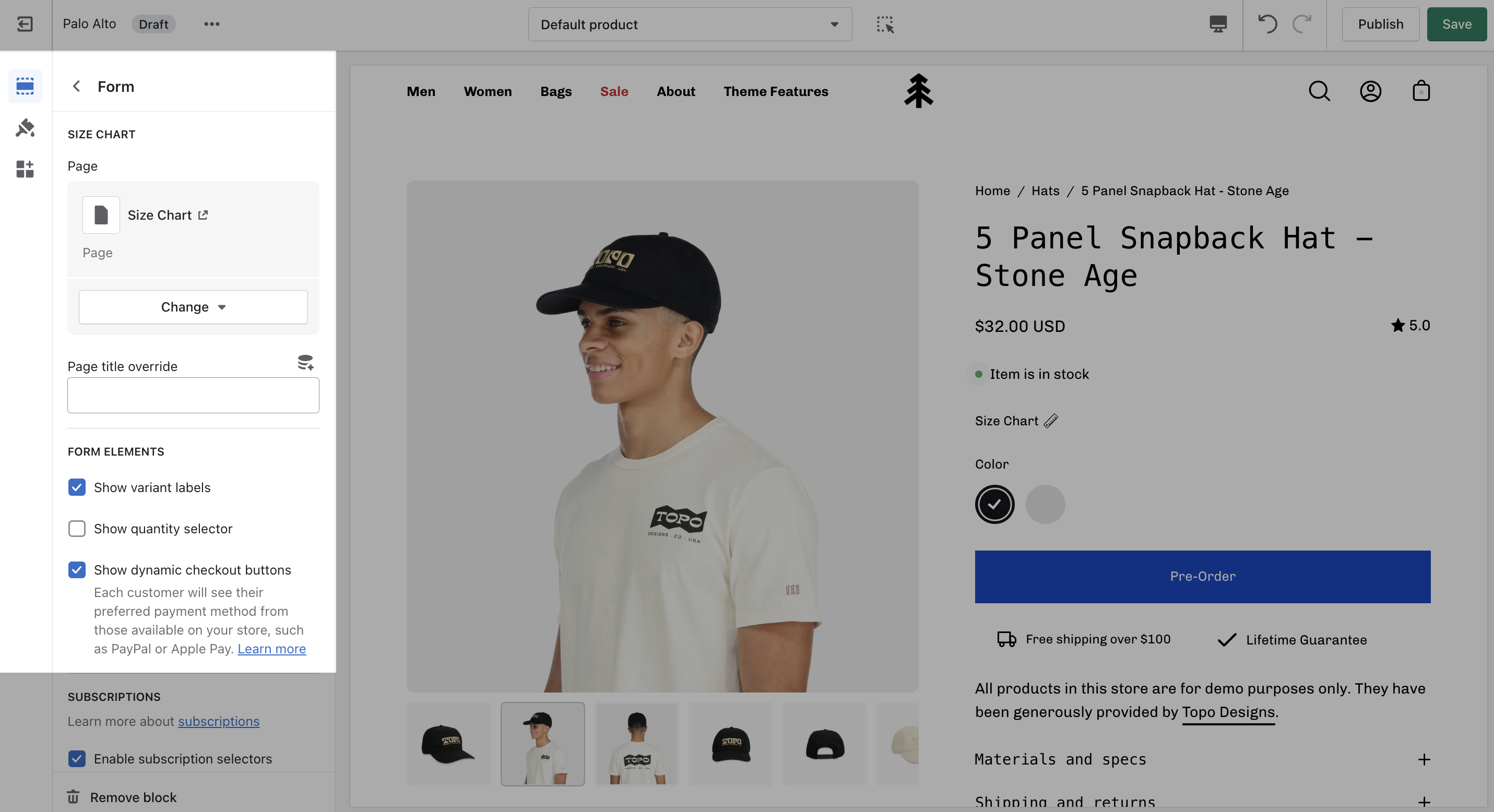
To remove the **Buy it now button**, you can create a Pre-order product template and uncheck '*Show dynamic checkout buttons'* under the **Form** block.
{% content-ref url="creating-product-templates" %}
[creating-product-templates](https://palo-alto.presidiocreative.com/palo-alto-4.2/products/creating-product-templates)
{% endcontent-ref %}